I found in my PC a very beautiful and easy to configurate. Click here to see an example!
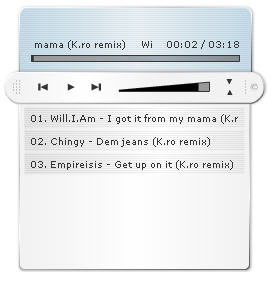
How to configurate:
1. You have 6 files in the archive
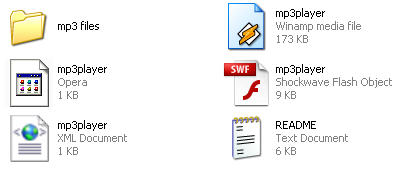
- The folder called mp3 files is the folder where you put your mp3 files to embed in player
- Is an XML document and here you write the artist and title of your mp3, open it (right click -> Open with and select your editor, I use Notepad
| <?xml version="1.0� encoding="UTF-8�?>
<player showDisplay="yes" showPlaylist="yes" autoStart="yes"> <song path="mp3 files/Will.mp3� title="Will.I.Am - I got it from my mama (K.ro remix)" /> <song path="mp3 files/Chingy.mp3� title="Chingy - Dem jeans (K.ro remix)" /> <song path="mp3 files/Empireisis.mp3� title="Empireisis - Get up on it (K.ro remix)" /> <song path="" title="" /> <song path="" title="" /> </player> |
Save it and use this code to embed your Flash player in a Page ( we talk about localhost because if you want to be online you need to upload the files on your server. I hope you have a server because the sites who give free hosting don't let you yto uploade mp3, mp3, wav, wma, etc!)
| <object type="application/x-shockwave-flash" data="mp3player.swf"
width="280� height="280� wmode="transparent"> <param name="movie" value="mp3player.swf" /> <param name="wmode" value="transparent" /> </object> |
Note: This player accept only mp3 files! Click here to see and example
