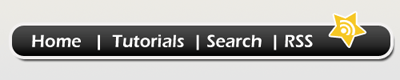
Step 1: Open a new document around 500x100 pix for you web 2.0 navigation and fill it up with a gradient using #eceae5 and #e5e5e5 to make a slight gray color, or you can also use any other color you like.
Step 2: Using the Rounded Rectangle Tool and with a radius of 15 px make a rectangle like I have done to make the base of the navigation.
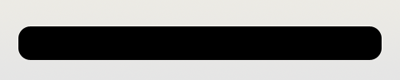
Step 3: Now go to blending options and apply the following effects:
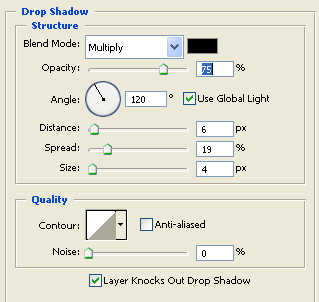
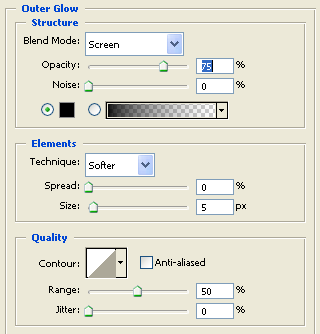
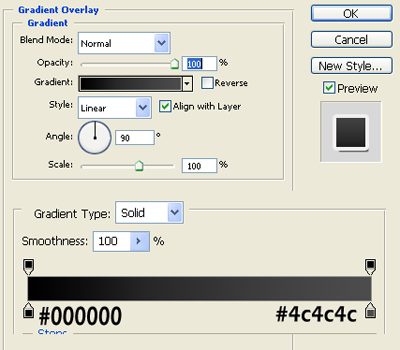
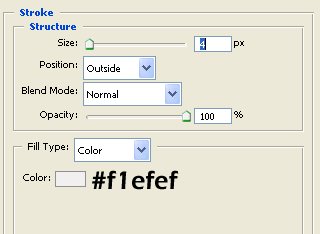
After applying all those effects your outcome should be this:
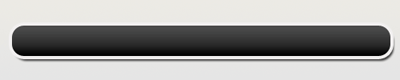
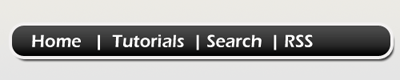
Step 4: After you have added all the effects its now time for the text, just type the text you want for your navigation and for a divider you can you the | keyword in your keyboard or make a line using the line tool and you should have this:
Step 5: Now using the Custom Shape Tool select the shape of a star present and make a star at the corner of the navigation and rotate it.
Note: If you cant see the shape of the star you have not loaded all the default shapes.
Step 6: Go to Blending Options and use the following effect:
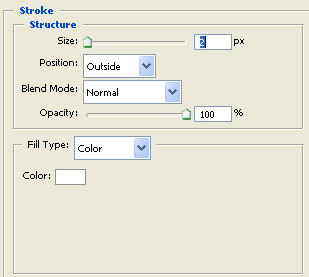
After all this you should have this:

Now I have just added a rss icon inside the star.
Now you should get your final result: