Open a New Document. 600x300 px, White Background. Write what you want.
This time i used the Chaparral Pro font, Bold, 72 pt and AA Smooth. You can use almost any font. Color: 0077FF

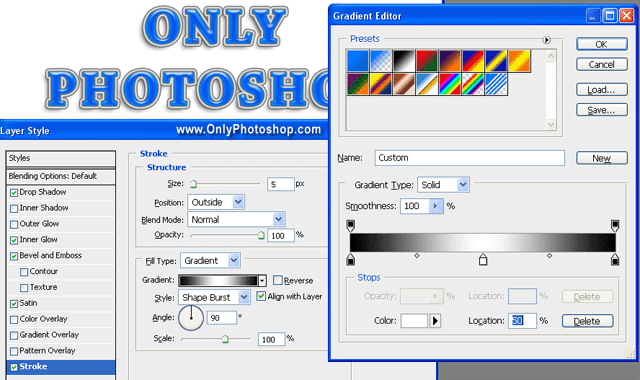
Double clik on the Text Layer to open the Layer Styles Window. Use the next settings:
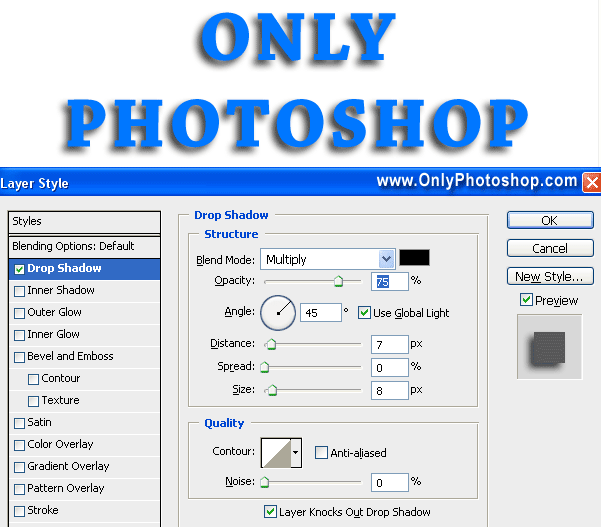
Drop Shadow Settings:
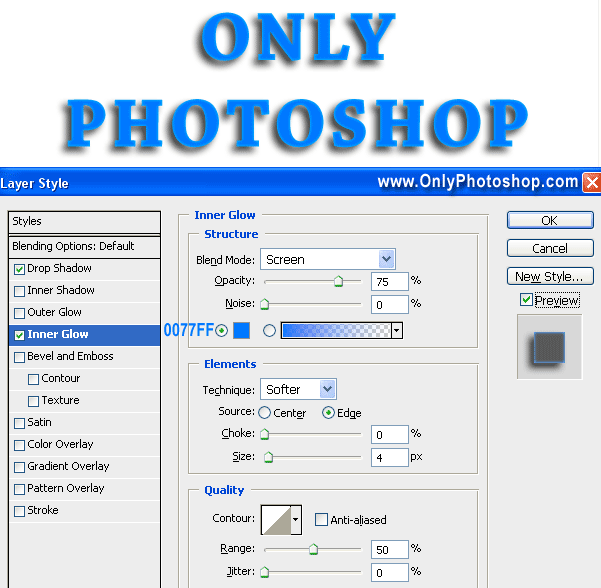
Inner Glow Settings:
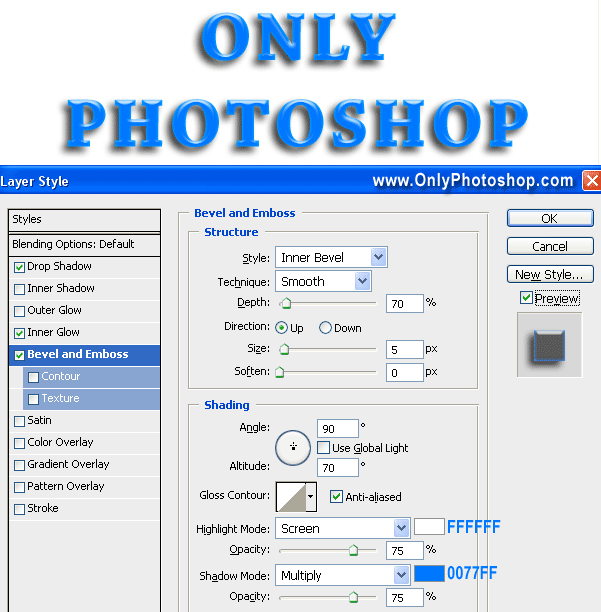
Bevel and Emboss Settings:
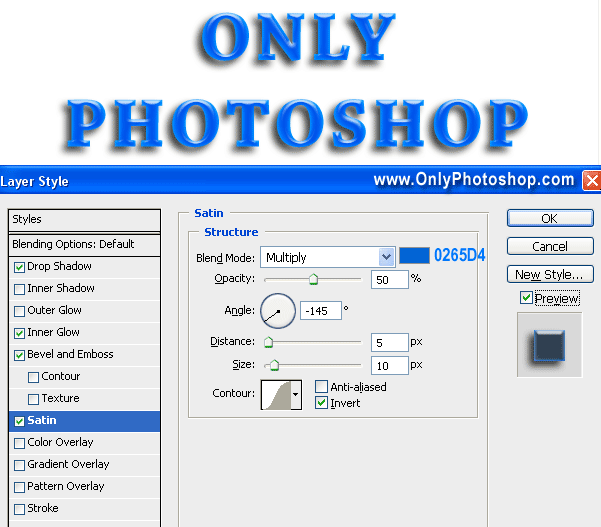
Satin Settings:
Stroke Settings:
Its done. I hope you like it. Have Fun.