1. First of all add any Text.

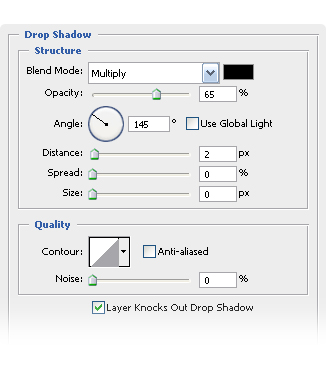
2. Then using Layer Styles you're going to add it a Drop Shadow.
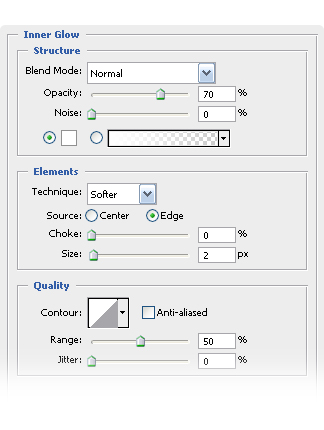
3. After that a Inner Glow.
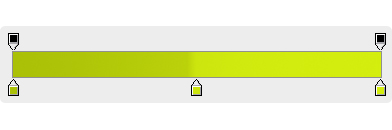
4. Finally a Gradient Overlay. Using #aac007 ,#cce50e and #d4ee0e
5. And you're done, it was easy enough, wasn't it? and you can reflect it if you want.