

Step 1
Open new photoshop file and write your text.

Step 2
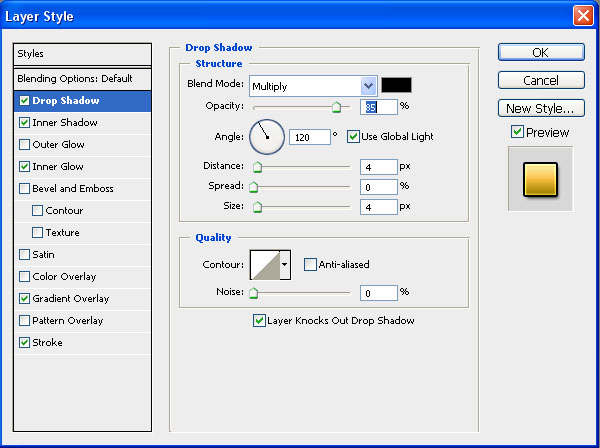
Add drop shadow.
Step 3
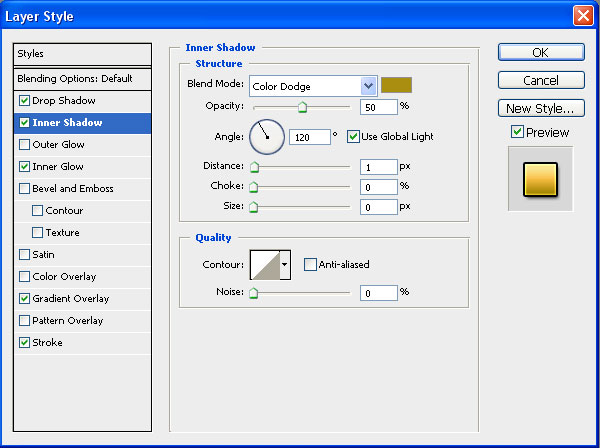
Inner Shadow
Step 4
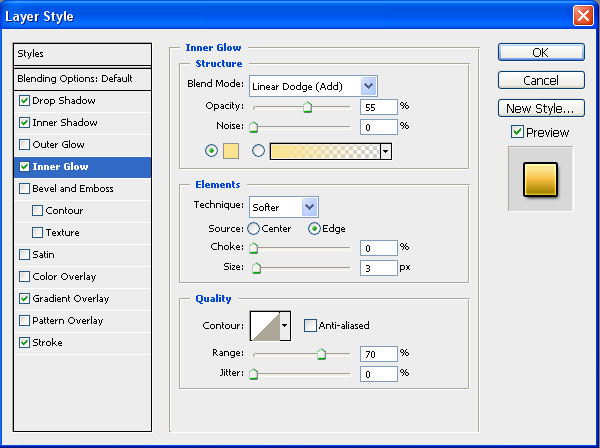
Inner Glow
Step 5
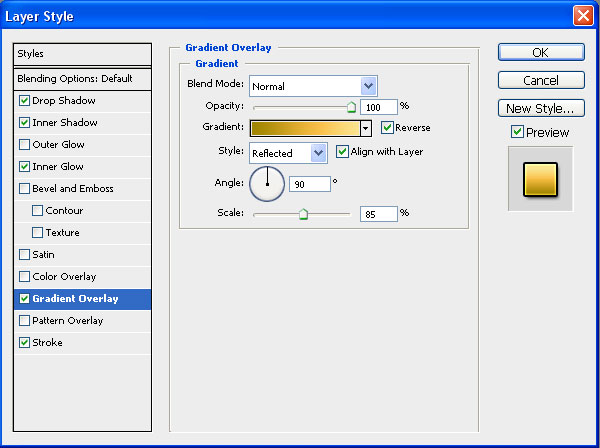
Gradient Overlay
Step 6
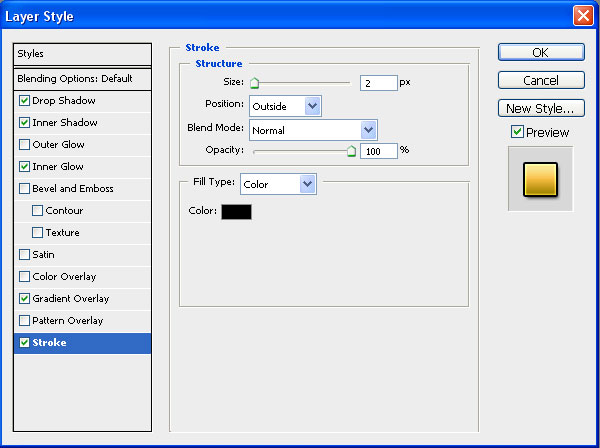
And Stroke
Step 7
At the end, add some lights and background and here is your perfect golden text.

