Step 1: Let's start out by creating a new file. I used a 1000x200 pixels canvas set at 72dpi, and I filled my background with white color. Now make a new layer then draw a light blue rectangle with #C2EBFF color shade and 1000 x 121 px dimensions.

Step 2: Under Layer Style(Layer > Layer Style) add a Drop Shadow, Inner Shadow, Satin and Gradient Overlay blending options to your large gray rectangle layer.
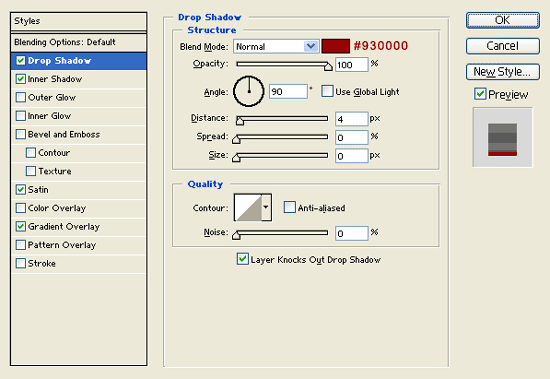
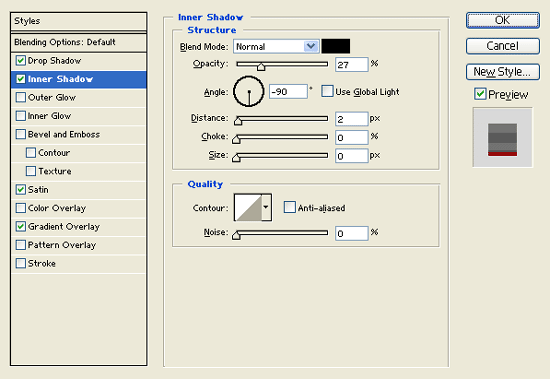
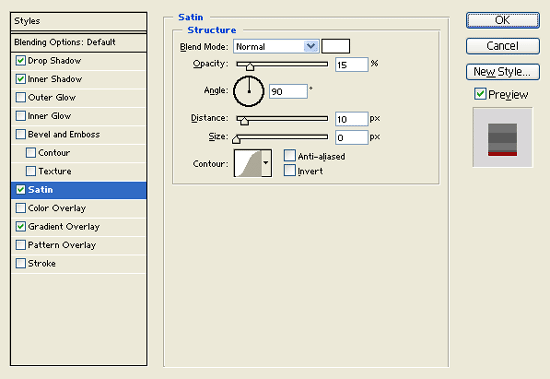

Step 3: Create a new layer. Then draw a 1 px line with #5B5B5B color shade across the edge of the top gray rectangle.

Step 4: In a new layer draw a long dark red rectangle with #930000 color shade and 540 x 23 px dimensions right at the bottom of your header design. Then under Layer Style(Layer > Layer Style) add a Drop Shadow, Inner Shadow and Gradient Overlay blending options.
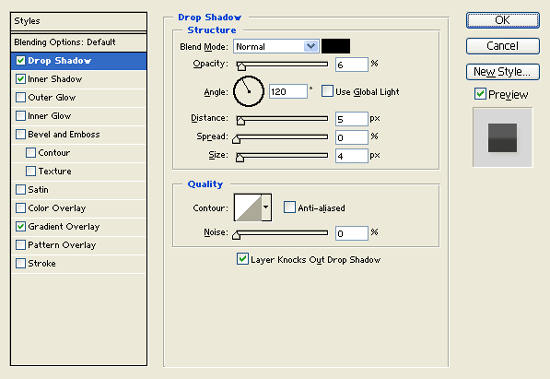
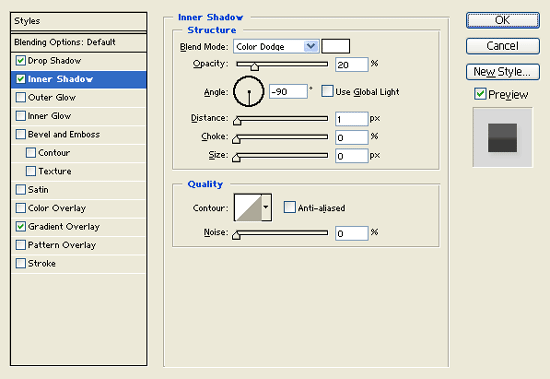
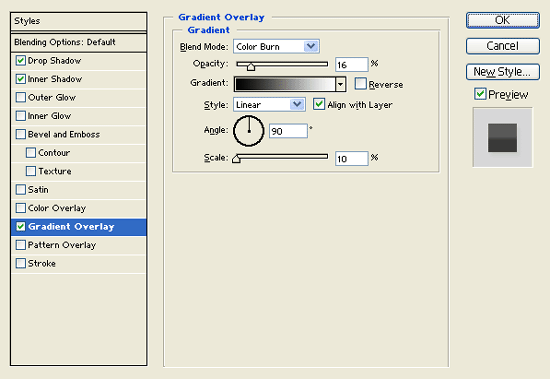

Step 5: Create another layer then draw a 1px line with #9F1C1C color shade on the top edge of your dark red rectangle design.

Step 6: Select the Horizontal Type Tool then set the font family to Arial, bold, 13 pt, none and white color shade. In a new text layer type out your navigation links on the dark red rectangle design. Make sure you leave spaces between each link and add a vertical bar with #272727 color shade.

Step 7: Create a new layer and draw a long black rectangle with 463 x 21 px dimensions.

Step 8: Under Layer Style(Layer > Layer Style) add an Inner Shadow and Gradient Overlay blending options to your long black rectangle layer. Then set the layer's blending mode to Lighten at 58% opacity.
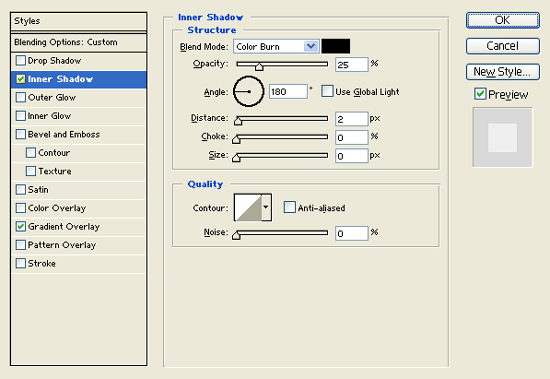
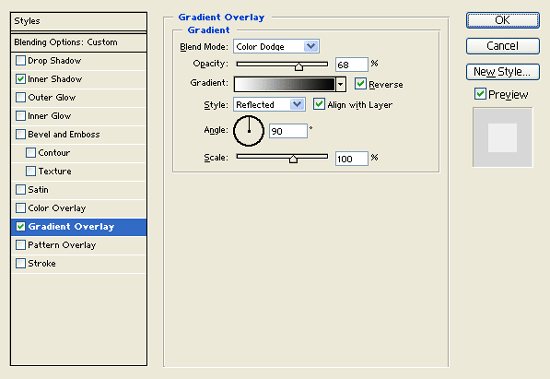

Step 9: Select the Horizontal Type Tool then set the font family to Arial, bold, 32 pt, strong and white color shade. In a new text layer type your website name on the empty header space then use a smaller font for your slogan.