Step 1
Start with tiping new text layer.

Step 2
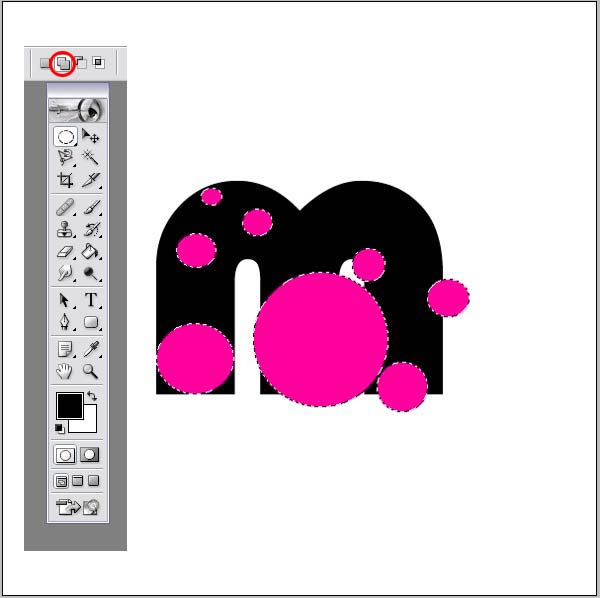
Open new layer. Select Eliptical tool and set Ad to selection option.
This mean, that you can draw multiple round shapes in one layer.
Then color this layer.
Step 3
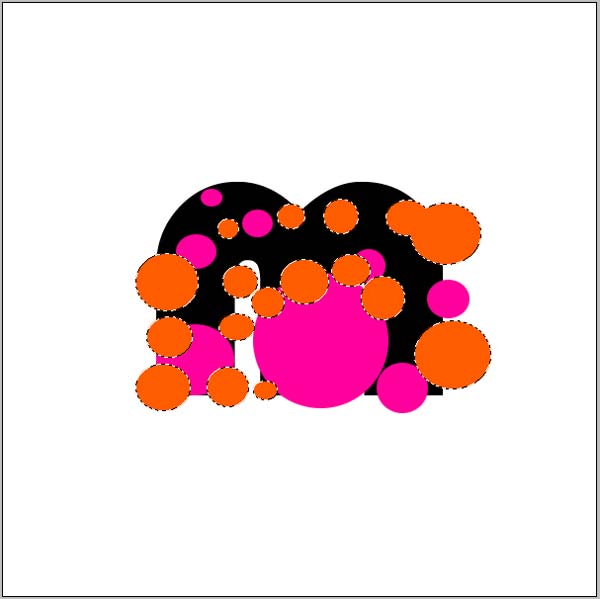
Repeat same step but with new layer.
Step 4
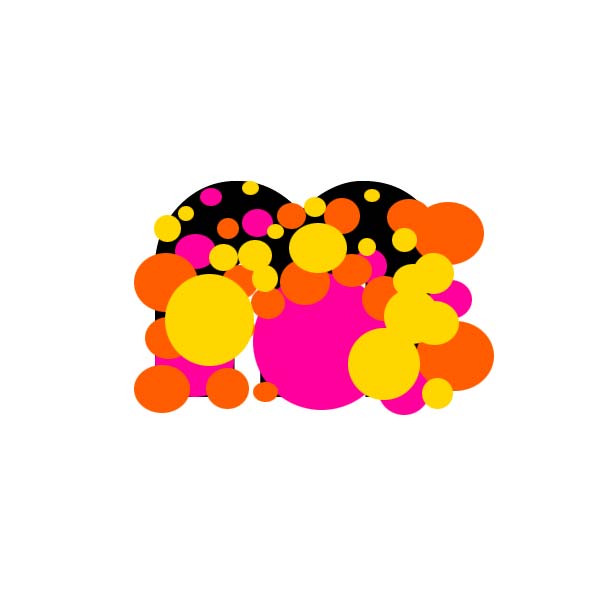
And for the third time.
Step 5
When we finishing with drawing, go back to first text layer and use selection.
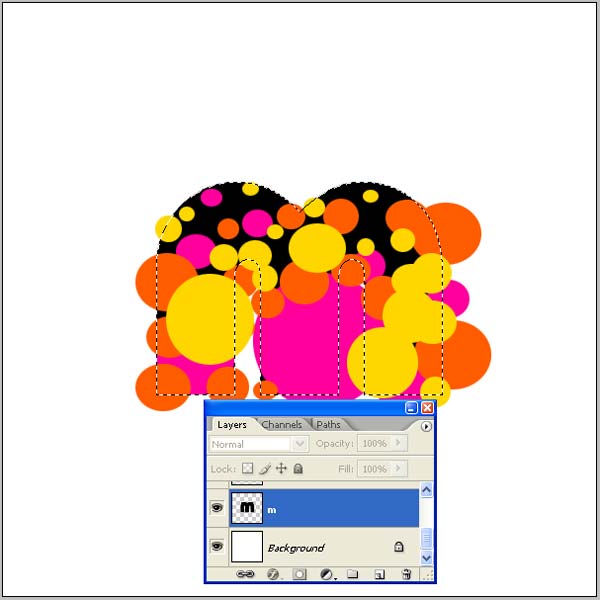
Step 6
Then select reverse of text layer Shft+Ctrl+I.
Now select first layer you draw and press delete.
With this, layers stay only inside of text layer making shape of font symbol.
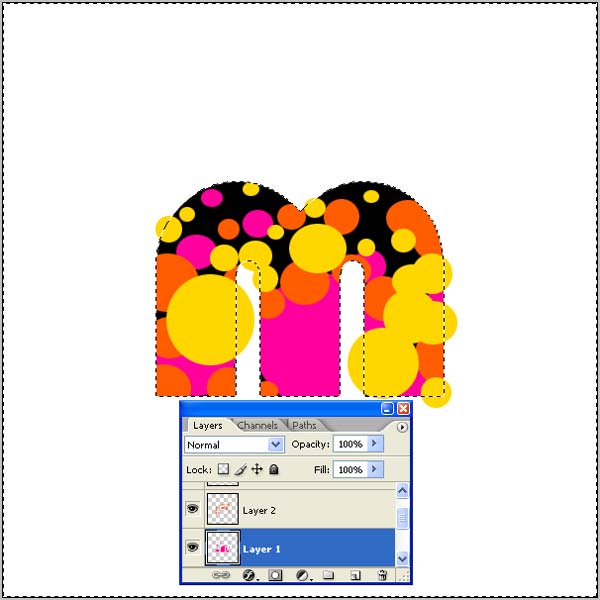
Step 7
Go back again to first text layer and repeat process with second layer.
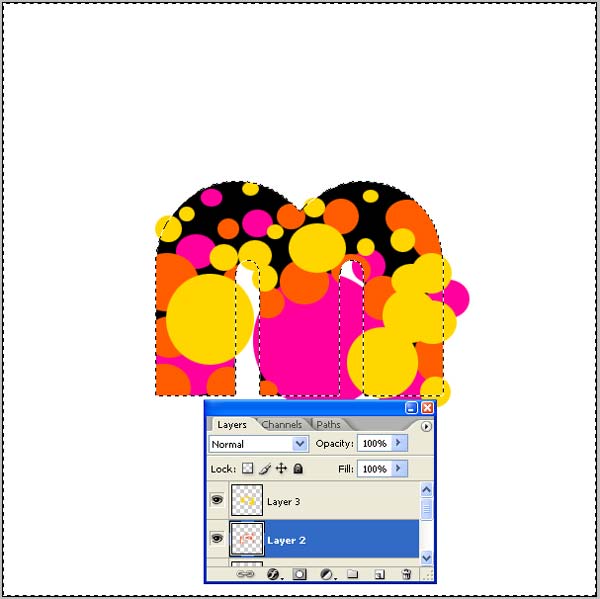
Step 8
And again with third layer.
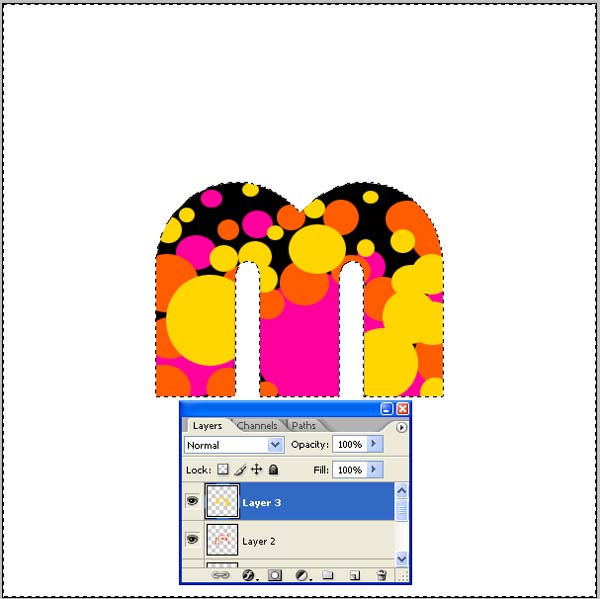
Step 9
Now to second drawing layer give Multiply color option.
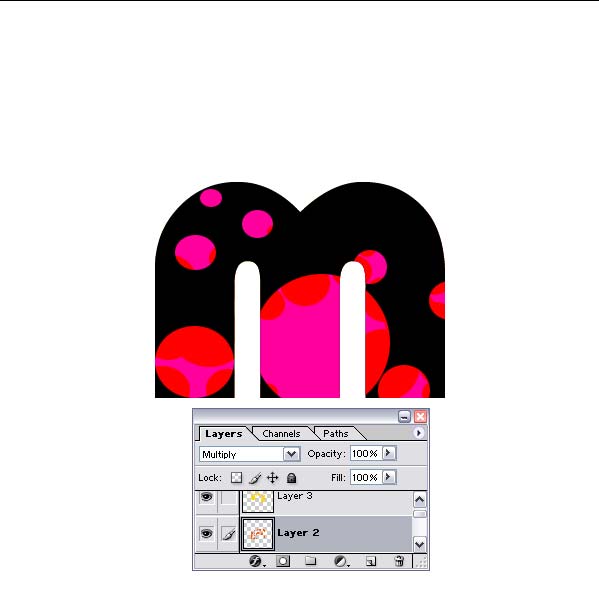
Step 10
To third give Linear Burn.
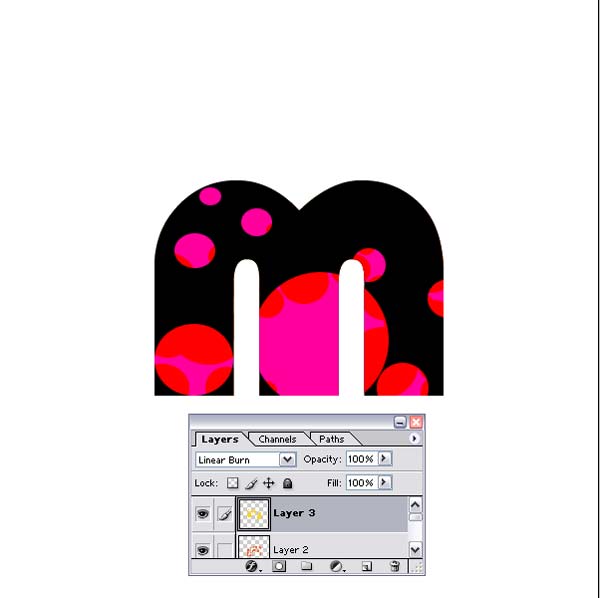
Step 11
Now go back to Text layer and put Fill at 0%.
When you do that this is what you get.
Nice colorized symbol made from colorful bubbles.
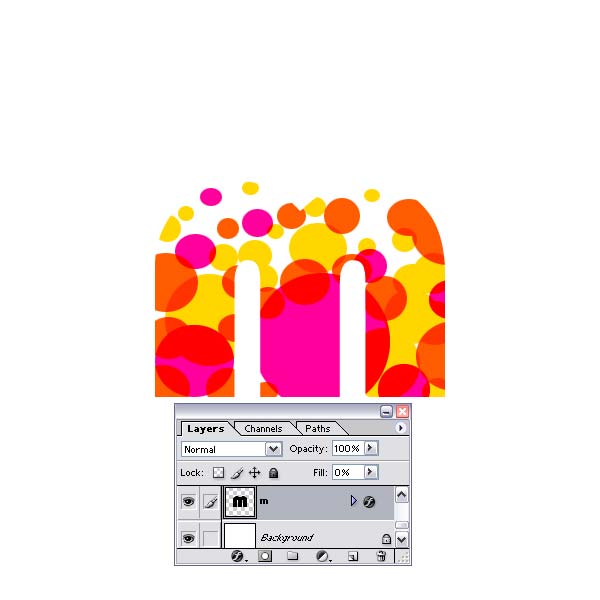
Step 12
Ok now to make some effect just from fun and richest look.
First to text layer give Outer Glow. In this case Noise option is main effect.
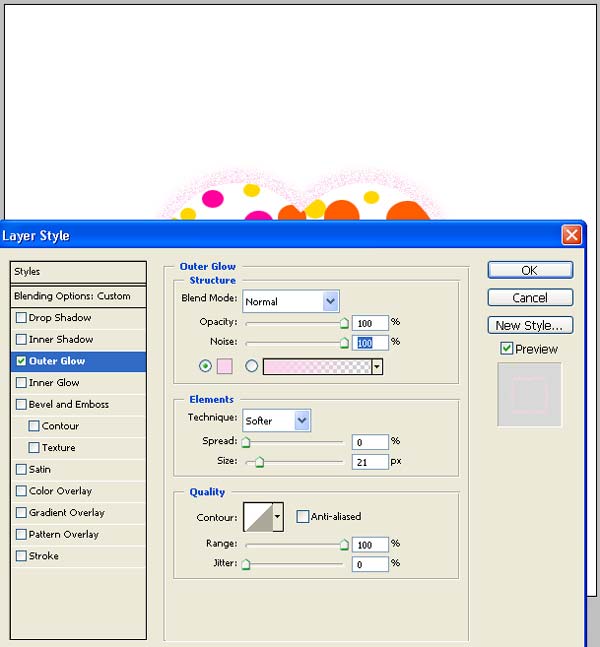
Step 13
Then with Tool shapes draw this shape as new layer.
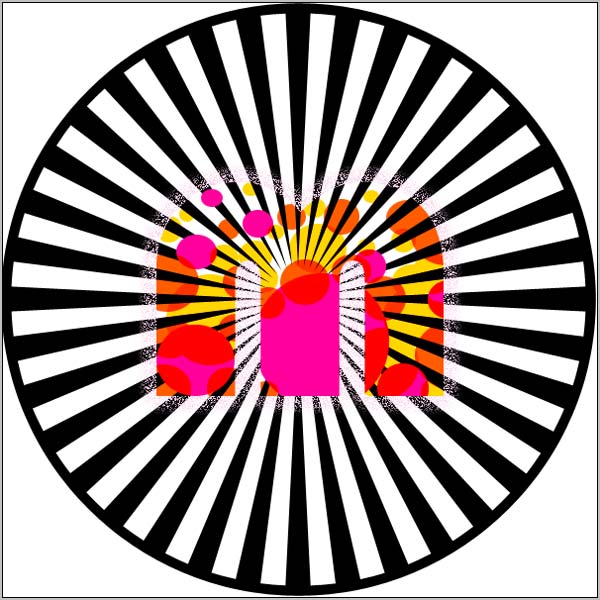
Step 14
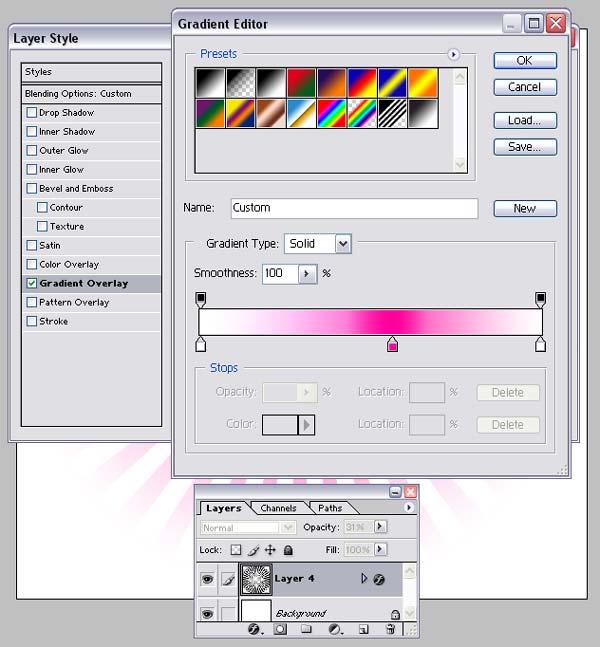
Give him Gradient Overlay and put Opacity at 30%
Step 15
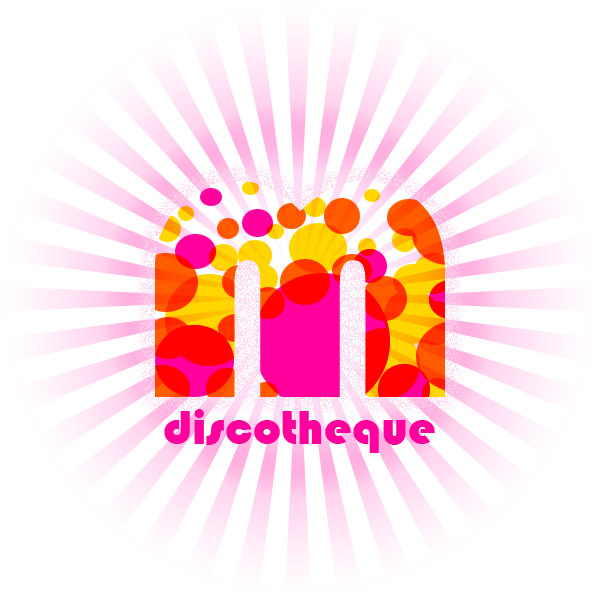
And here very nice logo made just from leter symbol and rounded shapes.
Finish