
This tutorial is dedicated to dentists who want to create a powerful website as a main interactive tool between them and their customers with the help of which people will get all necessary information about the dental services. The website will greatly extend the sphere of activity and will work up a good reputation for your dental center.
So, this tutorial will be interested above all for those who own dental centers and want to create an attractive and effective website for it in order to present it online and increase the number of customers. You will learn how to perform all necessary customization on the basis of a website template. At the end you will also read our recommendations concerning domain name and hosting provider.So, let's go!
Choosing a template design
The fastest and easiest way to create a professional looking website (if you are not a web designer, of course) is to take an opportunity of pre-made web templates on the basis of which you will create an attractive website. When you start searching for a site template, you will come upon many web page designs. But as usual, I recommend you to review website templates provided by TemplatedBusiness. It offers high quality design products that can be easily customized to meet your project needs. Here you will find both business website templates and business Flash templates that correspond to the main web standards and concentrate on the customers' core requirements both in terms of usability and information. Well, my choice is 14525.
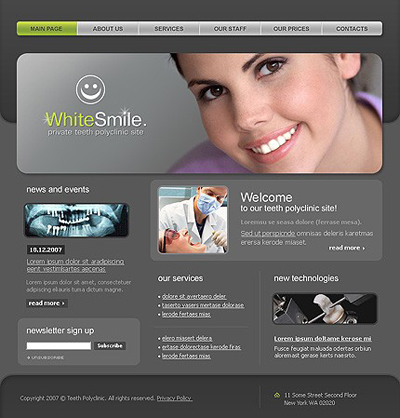
After purchase you will find HTML-version and source PSD file of the main page, fonts which are used in the template and some screenshots in the archive.
In case of a low-budget project, you may take advantage of free web templates that will help you solve both problems: time and money. FreeTemplatesOnline.com offers quality free web page designs that can be easily customized and used as a basis for your website.
Template Customization
Now it's time for the template customization. But if you feel that you don't have enough knowledge or time to go though the whole customization process, you may take the opportunity to use Template Tuning services. Here you can order the template customization at an affordable price. Their web developers will easily and skillfully do all the necessary changes for you. But if you are not afraid of difficulties, then let's go on! As it was said above, we will start from the HTML version.
To perform all necessary modifications you will need Adobe Photoshop CS+; Adobe Dreamweaver 8+ or any other HTML editor. Take a look at the Home page screenshot to view should be done. As you see, all these "empty" menu buttons, logo, and other design elements should be re-saved to the Images folder.
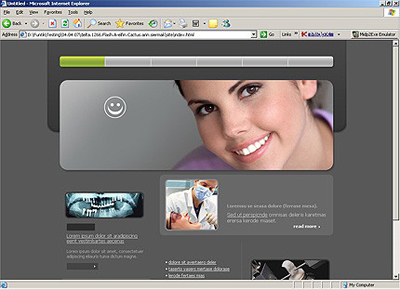
Before you start you should install necessary fonts (usually they are placed in "sources/fonts" folder- in this tutorial you'll find more detailed description. After that open .psd file in Photoshop and let's learn how to make necessary customization.
The first thing we are going to do is to modify the template header, a tag line and slogan. With the help of Horizontal Type Tool enter your company name instead of the default one. If the slice is not long enough and your site title goes out of its limits, don't worry. You may easily resize the slice. For this choose the Slice Select Tool and highlight the logo (mouse left click + CTRL). By mouse left clicking stretch the slice borders. After making all necessary changes we need to save the customized logo and then replace the existing one. While the slice is still selected, go to "File" -> "Save for Web and Devices". Leave the settings as they are because everything has already been done by a coder. Press the Save button to save files to the Image directory replacing the file p1.jpg.
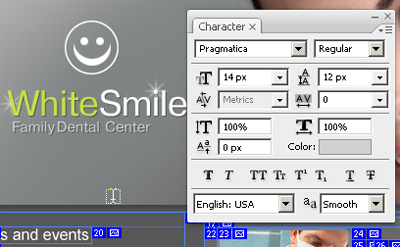
The next step is to modify text titles. I must admit that all text titles in this website template are made as pictures. And if you even don't want to modify them, you need to re-save them anyway.
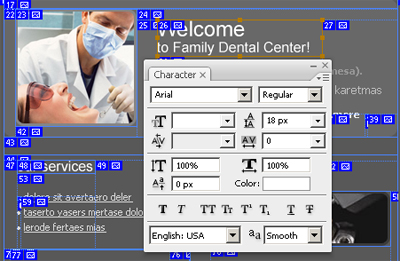
After that we should customize the menu buttons. The procedure is the same.
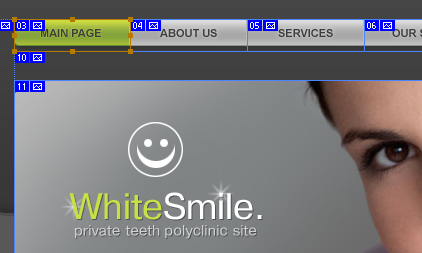
After that customize all buttons on the Home page and re-save them to the Images folder. All changes that should be completed with the help of Photoshop are done. Let's proceed and open file index.html in HTML editor. As usual I prefer to use Dreamweaver.
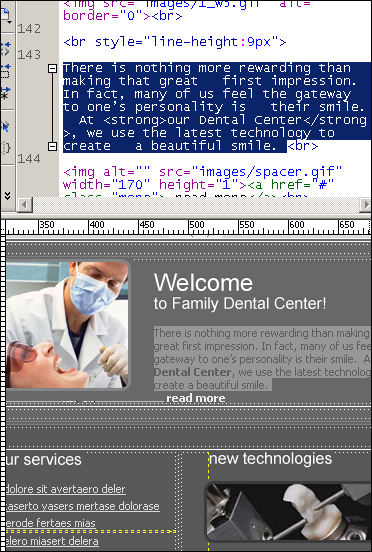
The Home page is ready. Save changes (CTRL+S) and verify the result.
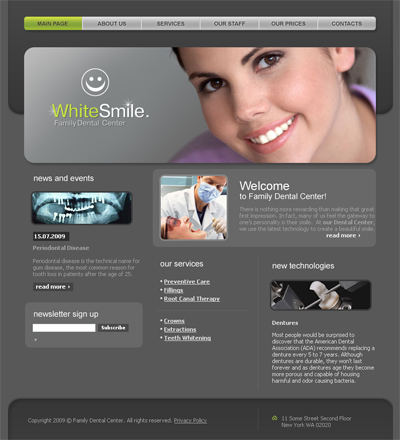
Let's customize the other pages. But before going further, you should define first what parts of the website design you need for your project.
About Us
The most important thing is to write a worthy text describing your Family Dental Center and the services you are providing. As my experience shows, the About Us page makes visitors and potential customer to trust you more. A really good written "About Us" page is one of the keys to your success.
But before we start text customization, first let us edit the text titles using Photoshop.
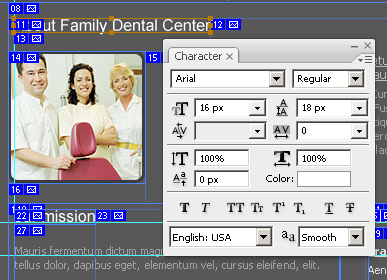
Then open file index-1.html in HTML editor and fill the page with the proper content. Let's see what I've got.
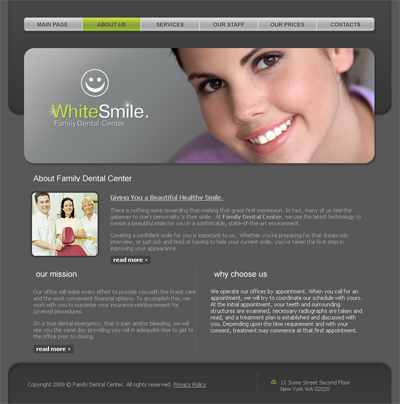
The same should be done with the other pages: Services, Our Staff, Our Prices and Contacts. All actions should be performed in the same way, so I guess there is no need to repeat what has already been said above.
On the Contact Us page write your postal address and customize the contact form. For contact from implementation you need to have some PHP programming skills and while I don't have them I recommend to order it from TemplateTuning website. They said that it will cost you about $60 - for any type you choose.
Choosing a hosting provider
When choosing the hosting services you should be guided first of all by other people reviews, prices and quality. On this basis I recommend you webhostingbuzz.com.
If you experience any troubles with registering a domain name or hosting you can always contact TemplateTuning.com professionals.
Website Promotion
You may find a lot of website promotion services all over the Internet. But probably, one of the most reliable among them is website promotion service from Web Design Library. It offers:
- Search Engines Inclusion
- Website Analysis Report
- Keyword Research Report
- Link Building Campaign
- Link Analysis Report
- Search Engine Optimization Report
- Search Engine Rankings Report.
There are two packages:
- Standard package: it would be great for new websites
- Pro package: a complex approach to website promotion.
There is no monthly fee. And by ordering a pro package you will get a 30% discount. Moreover, if you purchase a website template from TemplateMonster.com or TemplatedBusiness, you will get 50% off on the SEO services provided by Webdesign.org. You don't need to learn the secrets of search engines algorithms in order to increase your ranking, because everything will be performed by qualified SEO specialists.
You can visit sample website to see the final result or compare your code.
