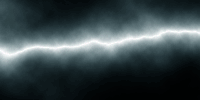
Note: This tutorial is done by Adobe Photoshop 7.0
1. Open a new window with:
Width:200pixels
Height:100pixels
Resolution: 72 pixels/inch
Mode: RGB color
Contents:White
Choose Gradient Tool (G)
 and apply to the image from top to bottom. Make sure your foreground and background colors set to default. Press "D" to set to default. Hold down Shift when you apply.

2. Go to menu Filter > Render > Difference Clouds.
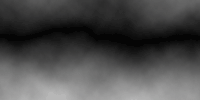
3. Go to menu Image > Adjust > Invert or (Ctrl + I)
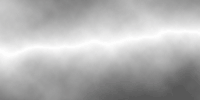
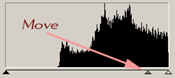
4. Go to menu Image > Adjust > Levels or (Ctrl + L)
Adjust the middle handler like shown below.

5. Play a little with Image > Adjust > Color Balance
That"s It! You did it!