

Just for fun, let's make a quick, cool text style:
1. Open Photoshop. I'm using PS 7 for this tutorial.
2. Create a new image. If it isn't already, fill the background layer with white.
3. Create a new Layer.
4. On the new layer, enter some large type with the Type Mask Tool.
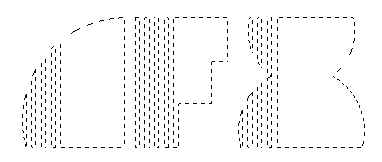
5. Select 2 somewhat opposing colors for the fore and background colors.

6. Fill the Text Selection with one of the colors.

7. Let's set up a style for this layer. Click the Add Layer Style icon on the bottom of the layers palette, and click on Bevel/Emboss.
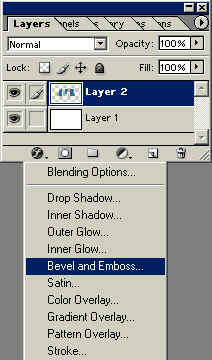
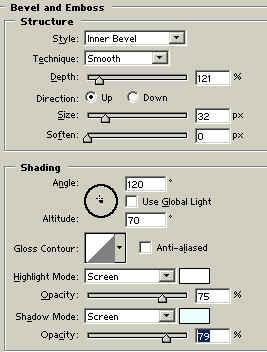
8. Apply a bevel with settings similar to those seen in the capture below.
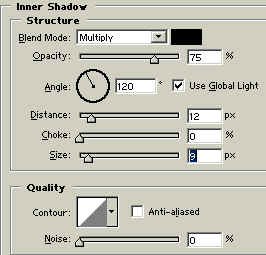
9. Now some Inner Shadow:
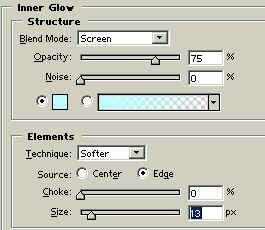
10. Inner Glow:
11. Lastly, let's add a Stroke:
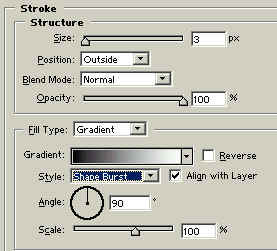
Here's our type thus far:

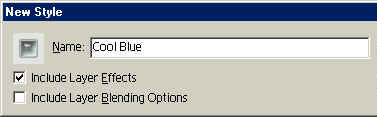
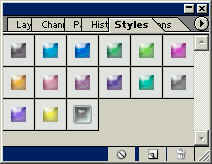
12. If you like the style, open the Layer Styles Dialog Box. On the right hand side, save it, name it, and then it will appear in the Layer Styles Palette.
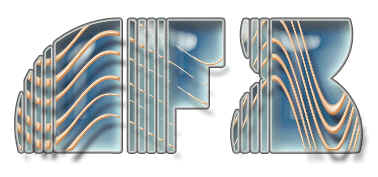
Ok, that was exciting but what does it have to do with the original premise of this tutorial? In this case, probably not much yet. But say I have another layer with styles applied above the type layer? Case in point, take a look at this.
 Al Ward, a certified Photoshop Addict and Webmaster of Action FX Photoshop Resources (