1)
You need to pick two basic colors to be
in your action background, and pick a
size for your image. Since mine is going
to be black/red, I chose a 400x100 image
on a
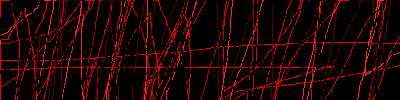
black background. Your first step is to
scribble with the pencil, using red. Don't
scribble too much. Also, use variants
of red, light lighter/darker shades. These
should not be too prominent however, as
they would take away from the main red.
I usually go back over with black (or
whatever the bg color is) afterwards.
It should look like this:
2)
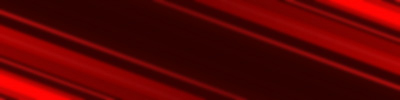
Now that you have the base, you are going
to do a motion blur on the background.
Use Filter-Blur-Motion Blur I recommend
using extremely high values for the distance.
999 will give you perfectly straight lines,
but if you want it to a be a little less
perfect,
try something lower. Another way to make
it less perfect is to use a small gaussian
blur. For my picture I wanted to use a
picture of Spiderman, so I picked an angle
that matched the direction he was going.
The angle will be different for everyone,
because everyone will choose a different
picture. If this looks too empty, duplicate
the layer, do Edit-Transform-Flip Vertical,
then Edit-Transform-Flip Horizontal, and
set the duplicated layer's blending mode
to Linear Dodge.
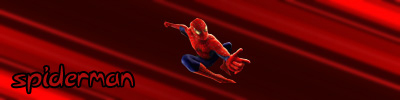
3) Now paste a cut-out of the subject you want to use (in my case Spiderman). Add text, etc, and now you're done!