1. First, Make a new document, size of your choice.
2. Fill the image with a white background.
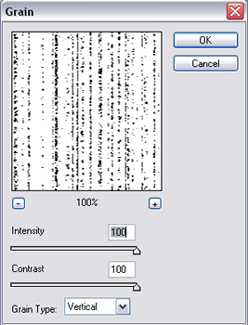
3. Go to Filter -> Texture -> Grain and use the settings shown below. 100 intensity, 100 contrast and vertical grain type.
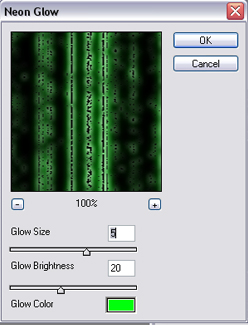
4. Next go to Filters -> Artistic -> Neon Glow and use the settings below.
5.Next go to Filter -> Stylize -> Find Edges.
6. To finish, go to Image -> Adjustments -> Invert. There, now you're all done. =D
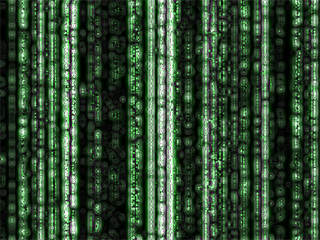 Final Result |
