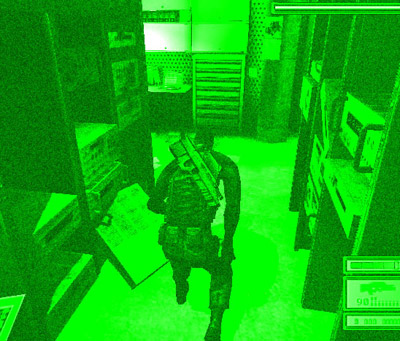
This tutorial will show you a quick and simple way to make a picture look like it's been taken through a nightvision camera. Let's get started.
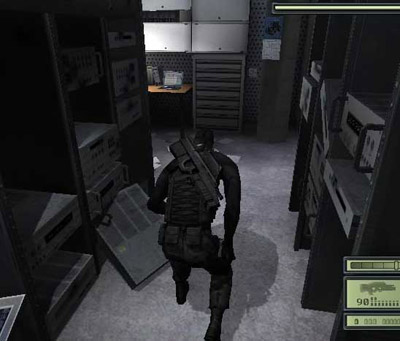
First you need a picture. I've used a screenshot from Splinter Cell that looks like this:
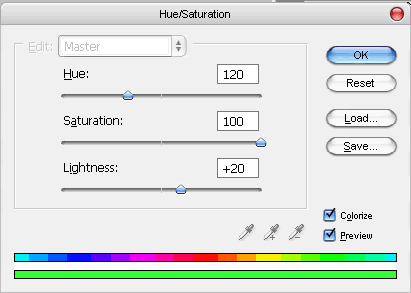
As you may know nightvision uses sort of a green filter. To make this digitally we will go to Image > Adjustments > Hue/Saturation. Use these settings (notice that Colorize is ON):
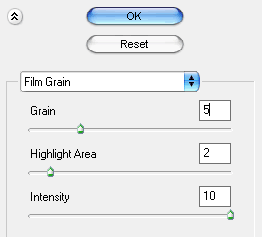
By now it should look pretty green and bright. Now we need to add some grain to make it look more realistic. Go to Filter > Artistic > Film Grain and use the following settings:
Looks pretty cool, huh? Only one thing remaining; increasing the contrast slightly. Go to Image > Adjustments > Brightness/Contrast. Set Contrast to about +15 and let the brightness stay at 0 - then click OK.
Here's what I came up with: