

1. For Move & Fade, create new file.
2. Type the text and convert into symbol. Right click on 60 th frame and select insert key frame.
3. Select 1 st frame. Drag the text to the right.
Select 60 th frame. Drag the text to the center. Change the color of the text using tint from the effect palette.
Create motion tween.
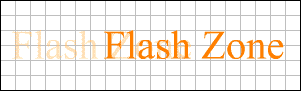
4. Right click on 80 th frame. Insert key frame. Fade the text using alpha.
5. Create second layer. Copy the symbol. Drag the layer below the 1 st layer.
6. Right click on 80 th frame. Insert key frame.
7. Select 1 st frame. Drag the text to the right, of the previous text.
8. Select 80 th frame. Drag the text to the extreme left.

9. Create motion Tween.
