

1. You need to control the speed of the motion tween in this project.
2. Create a new file.
View > Rulers
View > Grid > Show Grid
View > Grid > Edit Grid (10 X 10 px)
3. Drag the horizontal & vertical guide lines to get the center.
View > Guides > Lock Guides
4. Create a ball with radial gradient. Convert it into symbol by pressing F8.
5. Right click on 15 th frame. Insert keyframe. Drag the ball at the bottom.
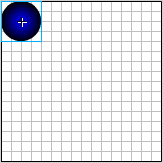
6. Right click on 30 th frame. Insert keyframe. Drag the ball at the top.
Create motion Tween.

7. You will get the following output.
The speed of the animation is same for all the frames. In the beginning, at the bottom and top, the speed is same.
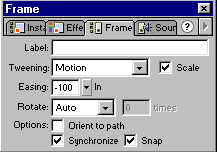
We need to slow the speed in the beginning.
8. Select 1 st frame. Select frame palette. Drag the easing slider to -100 i.e. In.
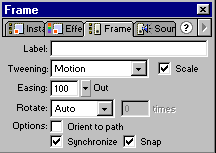
We need to increase the speed when the ball hits the ground.
9. Select 15 th frame. Select frame palette. Drag the easing slider to 100 i.e. Out
10. Save the file. Check the difference between the animation before and after easing.
