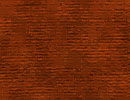
1. Create new file with 72 PPI and white background.
2. Select proper color from Swatches
(we have selected 7 row 2nd col) as a foreground color.
3. Press Alt + Delete to fill foreground color.

4. Filter > Add
Noise
(Uniform, Monochromatic, 16)

5. Filter > Artistic
> Underpainting
brush size 6
texture coverage 16
Texture canvas
scaling 100%
Relief 4
light direction Top