Open up a new image in photoshop. Using the text tool, type in any text you want.

Now, with the text layer selected, go to edit>>transform>>skew. Skew the image until you are happy with it.
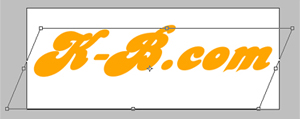
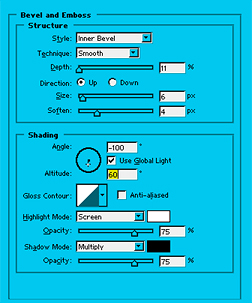
Now go to layer>>layer style>>bevel and emboss. Use the settings below.
Now add a 1 pixel stroke of any colour, on the outside of your text. Now, hold down ctrl + alt, and click on the up arrow of your keyboard 10 times. Yours should look similar to below:

That's it! Your done. You can play around with the bevel settings on the top layer, etc... Until you are happy.