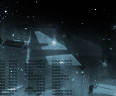
1. In this example I used a part from DigitalAbuse's header. It works well for this tutorial because of its' many "objects" and contrasts.
2.
Now
let's streeeetch! <-- yea, funny, eh?
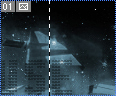
You wanna select your single column marquee
tool which is located in the same box as
the rectangular marquee tool. Create
a selection on your image anywhere there are
contrasts.
3.
Here
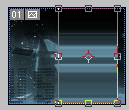
comes the "hard" part. Go
editable, or scaleable if you like. Now drag
the right hand box to the far right and your
left hand box to the left to stretch it...
 Click to Enlarge |
4.
Now
you got something like a really high tech gradient
with lots of colors! Pretty easy tutorial, took
me about 10 minutes to create. Now it's all
up to you. On your image, please don't use my
header part as an example, because it is copyrighted
to DigitalAbuse and you don't want those "he-is-a-tutorial-ripper"
people to go rambo on you.

5. Here's my example. My. Right now it looks really boring, but you can do more to it, I simply just don't care enough to create something leet.