1) Make a new file. I used 400px by 100px. If you want to use this effect on this font you must download it here:
Download Judas.TFF Font
2) Select the Type Tool and type out your text on the canvas:

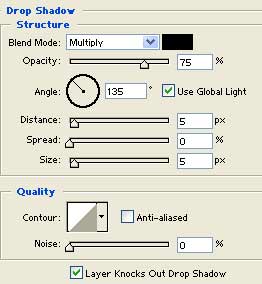
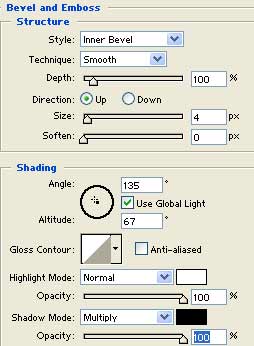
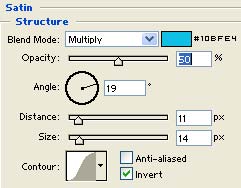
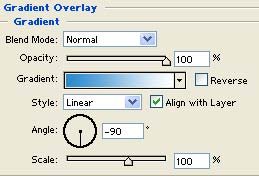
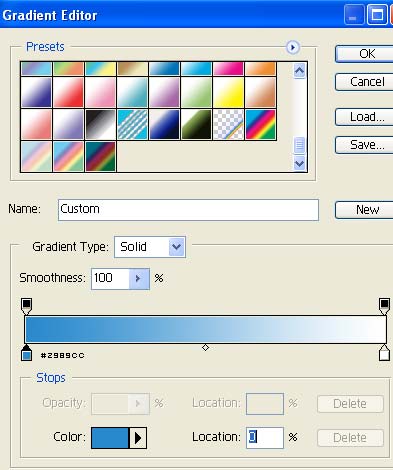
3) Now right click the font layer and go to Blending Options and set all these settings:
There ya go!