1) Make a new document, anysize doesn't matter. Now press "
D" on your keyboard to reset the foreground and background colors to black and white. Make sure your background is
BLACK.
2) First select the brush tool and go to the brush drop down menu. Use the Butterfly Brush Tool:

3) Now scatter the butterflies through-out the canvas. After doing so go to
Filter>Blur>Radial Blur and use these settings:
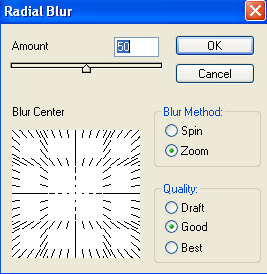
4) Press
CNTRL+U and use these Hue Settings:
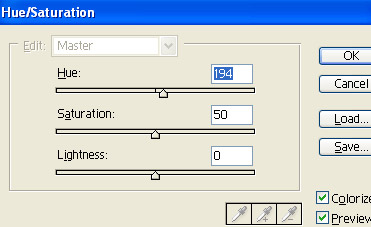
5) Duplicate the layer, set the top Layer blend to
Overlay:
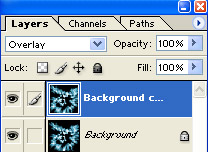
6) Now you got a graphic that looks similar to mine below:

You can fool around with the
Filter>Distort filters. I tried the twirl filter and got:

Then I tried the Wave filter and got:
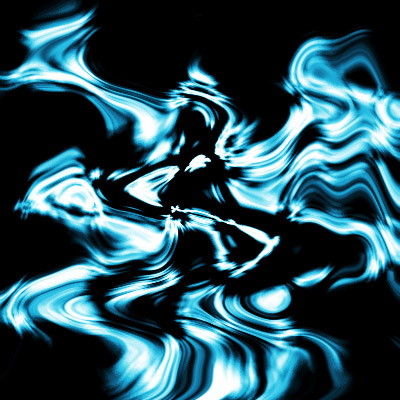
I personally like the Wave filter for this effect. Hope you enjoyed this easy tutorial.


