1. Open Corel DRAW.
2. Window > Dockers > Symbols
& Special Characters
3. Select the symbols you want to use for collage

4. Arrange the symbols in desired order.
5. Change the sizes if require.
6. Fill the colors

7. Select each symbol. Select Interactive Transparency Tool and drag over the symbol in different directions.
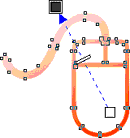
8. After applying Interactive Transparency Tool, symbols will be partially merged and you will get collage effect.
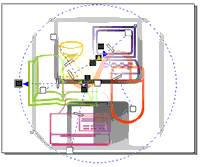
9. Deselect the collage