


1. Open Corel DRAW. Draw a rectangle with Rectangle Tool

2. Select interactive Extrude Tool and Extrude the
rectangle as shown below to make a rectangular plate.

3. Type the text and place it at the edge. Make a copy of the text and keep it aside.
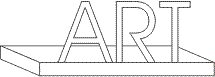
4. Extrude the text with Interactive Extrude Tool.
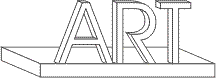
5. Fill the black color in the copy of the text. And send it to the back of extrude one.
Arrange > Order > Back One

6. Skew & scale the text for shadow effect. Check out Skewing in Shadows project.
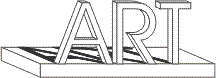
7. Select the Extrude text. Fill the color.
8. Go to Property Bar. Click Color flyout menu.
9. Click the third option "Use Color Shading. Select the colors for shading.
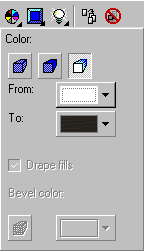
10. Use color shading for the rectangular plate also.

11. Type the text at the front side just to add the flavor.
