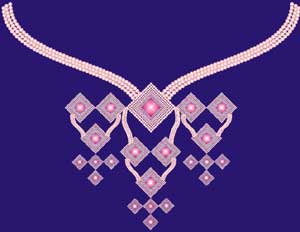
1. Open Corel DRAW.
2. To create a pearl, draw the circle and fill it up with Radial Fill.

3. Draw the square and place the copies of the pearl at four sides. Take the square as guide.
4. Using Interactive Blend Tool, create the outline of the pendant.

5. Press shift and reduce the size of the pendant using pick tool. Right click to get the smaller copy inside. Create multiple smaller copies.

6. Rotate the pendant to 45 degrees. Draw the square inside and fill it up with Square Fill.

7. Draw the curved line of desired shape. Place two pearls at two ends. Blend them along the path.
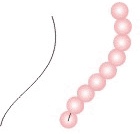
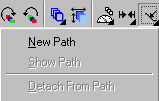
8. First blend the pearls. Select the blend. Using Property Bar, Select Path Properties. Click on New Path and select the curve as path.
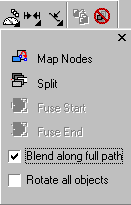
9. Keep the blend selected. In the Property Bar again, select Miscellaneous Blend Options. Check Blend along full path.
10. Make the copies of the pendants with different sizes.
11. Arrange other parts of the necklace according to following design.