Step 1
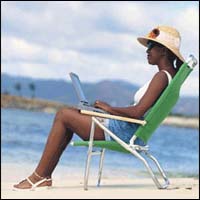
Get your photo you want to apply the retro look and open it up in photoshop.
Step 2
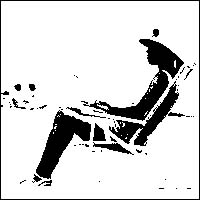
Now go to Image > Adjustments > Threshold, a little box should pop up, type in the setting of around 118 and click ok
Step 3
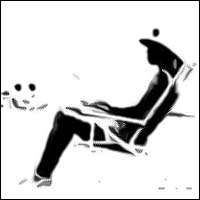
Now go to Filter > Stylize > Diffuse, set it to Anisotropic and click ok
Step 4
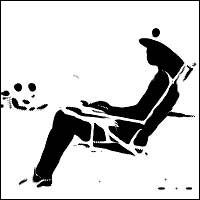
Now go to Filter > Sharpen > Unsharp Mask, and use these settings. ( Amount 300, Radius 50, Thresold 0 ). Then click ok
Step 5
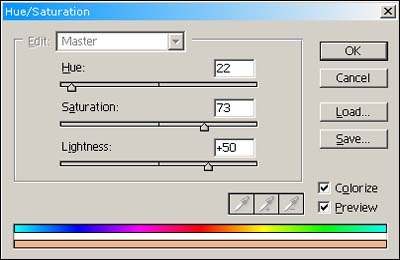
And lastly go to Image > Adjustments > Hue/Saturation ( Ctrl + U ), To add colour. Use settings along these lines:-
Final Image
I just added a little bit of text as you can see.