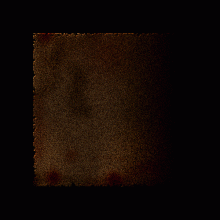
Learn to decorate interfaces with some heavy rust texture.
1.
OK, here is the tutorial everyone keeps on requesting. Start with a new
image about 500x500 pixels with a black background. First, create a new
layer and fill the whole image on that layer in with this color brown (R: 50 G:27 B:0). You should be left with something similar to the left.
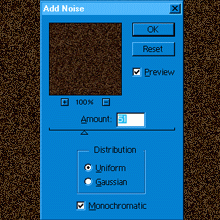
2. OK now go to Filter > Noise >Add Noise enter 51 for amount and tick the Uniform and Monochromatic boxes as shown in the picture.
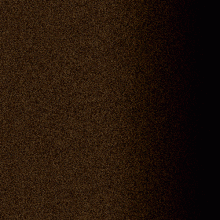
3. Now Press D then X on the keyboard to reset the colors. Create a New layer, then using the Gradient from foreground to background, drag from the middle of the image to the right end of the image. Set that layer to "Color Burn". Then lower the Opacity down to 37.
4. We almost have the final image except we need to add a few touches to the images to make it more realistic. First, create a New Layer and using the Airbrush and a fat blurry brush (about size 60). Once you have the airbrush selected, go to Options and turn the Pressure down to 14. With black set as your foreground color, paint some dabs on the image and set the current layer with the dabs on to layer blend mode "Color Burn" and turn the Opacity down to 25. Also try using the color red and paintings some dabs for a rustier effect.
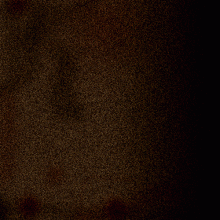
5. You can also lighten some areas up with a large brush, size 260, blurry and then lower the opacity, making sure to do it on a new layer. When done, just add some noise Filter > Noise > Add Noise. Now, go to Layer > Flatten Image and go to Select > All then Edit > Copy then Edit > Paste and click on the background layer and fill it with black.
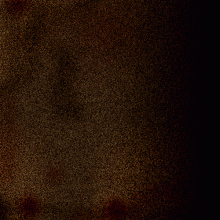
6. Now click on the rusty image layer and go to Edit > Transform > Numeric. Scale 70 percent for width and height. Now hold CTRL and click on the rust layer, then create a new layer and fill the selection in white. Press D then X and go to Filter> Brushstrokes > Spatter. Enter Spray Radius 15 and Smoothness 5. Using the magic wand, click anywhere in the white area of the image to selects just the white then hit Delete. Don't Deselect. Now click on the rust layer. Go to Select > Inverse and hit delete. You can now delete Layer 2 and you should have some nice eroded edges on your rust.
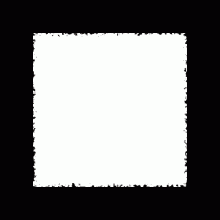
7. Just add whatever effects you want, I just embossed mine a little , you may want to lighten it up a bit and your done, you have your lovely dark and dirty rust.