

1. Make a new document, select the type tool, and write what you want in a standard font (I used arial). This font will act like a guide and won't remain in the final image.

2. Make a new layer. Now using the pencil tool (
 ) draw over the text you have typed, over and over (3-6 times). Don't worry about going outside the shape it will add to the effect. Choose an appropriately sized brush depending on the size of your text - small text = small brush.

3. Press the layer visability button for the typed text layer (the little eye next to the layer :
 ) This turns off the text layer and leaves the drawn type visable.
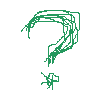
Finished. A neat effect that can be used to give that grunge feel to text. You can edit it in many different ways, so have some fun with it.
