The advantage of using layer styles is obvious, you don't have to do it again. In this tutorial you are going to do golden text only using layer styles. I used the font Verdana, 130p bold. I also use brown background color because I find it easier to see the gold color more clearly, but that's up to you. Start by writing your text in a new document.
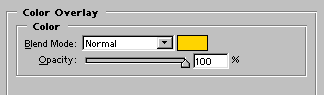
The next step is to add the layer style Color Overlay. The color I used is #FFD400.

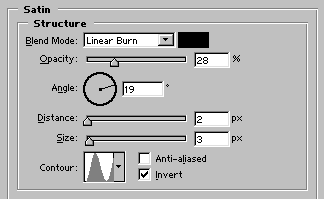
Satin, use Linear Burn and lower the opacity to 28 %. It's important that you change the contour to Ring.

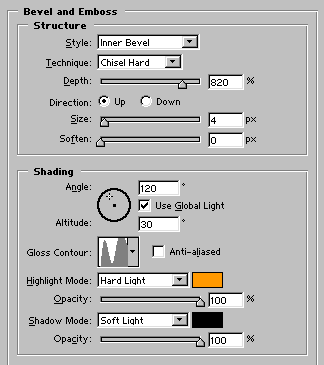
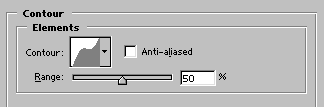
Time for Bevel and Emboss. You have to create your own Gloss Contour and Contour. This is done by dubbel-clicking on the contour picture and after that it works like curves. In the Highlight Mode I used the color #FF9900.

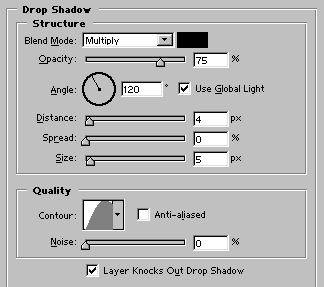
Last but not least, Drop Shadow. You can use the default but I have played around a bit. It's up to you.

That's it, save your new style and apply it, as you like. This style works best with text. If you have questions just mail me.
