In Paint Shop Pro, create a new image, with a white background. Now, grab your text tool, and type in whatever text you would like. However, in the text window, check floating and anti-alias under "create as". Now click OK, and move the text to your desired place on the image.

With the text still highlighted (a dotted border) go to effects>>3d effects>>inner bevel. Use the settings below.
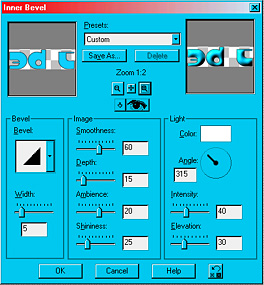
Now press OK and you're done! Here are the results: