Her
Home
Raster Graphics
Paint Shop Pro
Thresholding an Image
Thresholding an Image
Author: Lindsay Coome
Author's URL:
www.killer-bunnies.com
More by this author
Added:
Feb 25, 2005
Rating:
Level:
Beginner
Software: Paint Shop Pro
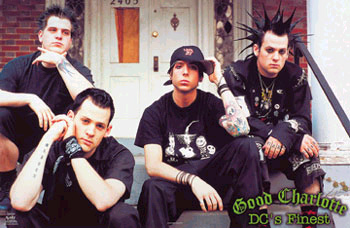
Choose any image, and open it in adobe. I used this one.
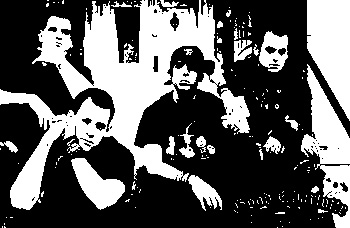
Now, go to colours>>adjust>>threshold and change the settings to around 130, depending on your image. Click OK, and you're done.


 Level: Beginner Software:
Paint Shop Pro
Level: Beginner Software:
Paint Shop Pro 