


| Introduction Make a great Abstract Effect. |
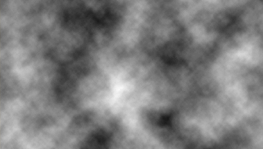
| Step 1 Make a new document of 1024x768 pixels. Start by making your foreground white and your background colour black. Then simply go to Filter > Render > Clouds. |
 |
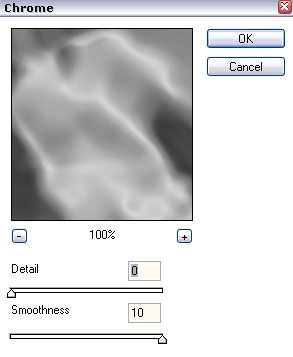
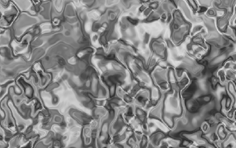
| Step 2 After that you should go to Filter > Sketch > Chrome and enter in these settings:
|
 |
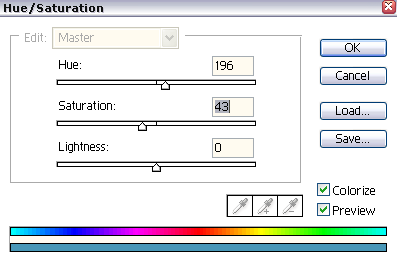
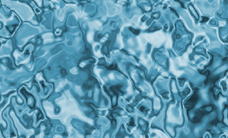
| Step 3 Now, on your keyboard hold CTRL + U this will open the Hue/Saturation, or you can simply go to Image > Adjustments > Hue/Saturation. Enter in these settings:
|
 |
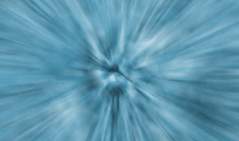
| Step 4 Now simply go to Filter > Blur > Radial Blur and the Amount to 100%, Blur Mode Zoom, and the Quality to Good. You should now have something that looks a bit like this: |
 |
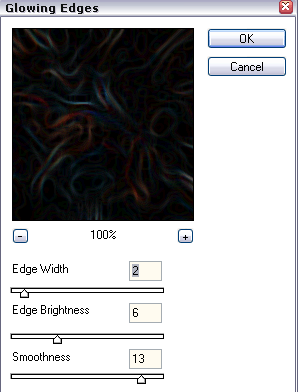
| Step 5 Now go to Filter > Render > Stylize > Glowing Edges and enter in the settings shown below: |
 |
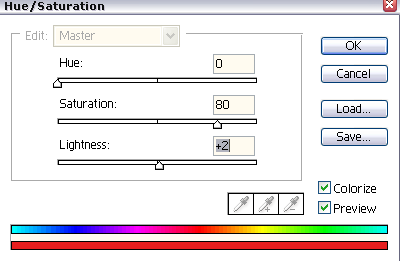
| Step 6 Now re-do the step 3, but this time enter in the settings as shown below: |
 |
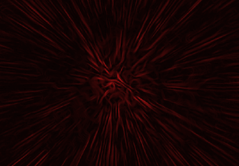
| Final Results You now should have a nice great Abstract effect. Like it, I do.. Hope you liked it to. Enjoy. |
 |
