
Change the colour of windows without losing reflections.
 |
1. Open the image for editing. |
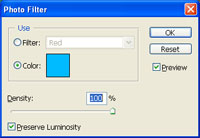 |
2. Add a new "Photo Filter" adjustment layer (Layer> New Adjustment Layer> Photo Filter) and select a colour and density. Make sure the "Preserve Luminosity" checkbox is checkmarked and click OK. |
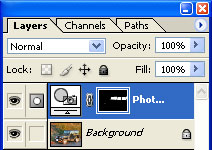 |
3. With the layer mask selected, use the "Eraser" tool (E) to erase areas around the window. |
 |
4.
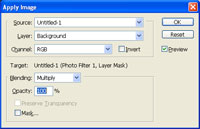
With the layer mask still selected, use the "Apply Image" tool (Image> Apply Image) to apply the following properties:
Source: filename
Click OK. |

|
5. Rollover the image in this step to see the original image before this technique was applied. |
