

An abstract disco ball made out of glowing neon lights.
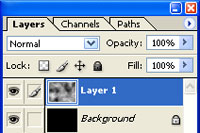 |
1. Create a new document, fill the layer with black, create a new layer then add a Clouds filter (Filter> Render> Clouds). |
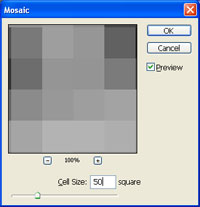 |
2. Add a Mosaic filter (Filter> Pixelate> Mosaic) with a cell size of 50 pixels. |
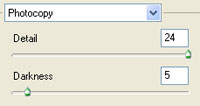 |
3. Apply a Photocopy filter (Filter> Sketch> Photocopy) with these settings:
Detail: 24
|
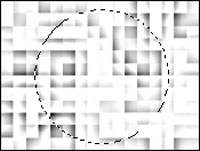 |
4. Use the Circular Marquee tool to make a selection of a circle in the middle. Hold the shift key while dragging to create a perfect circle. |
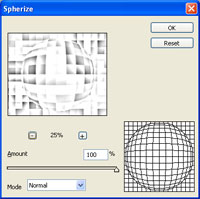 |
5. Distort the image using the Spherize filter (Filter> Distort> Spherize) with these settings:
Amount: 100%
|
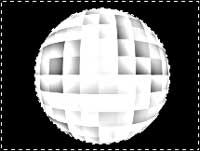 |
6. Select the selections' inverse (Ctrl+Shift+I) |
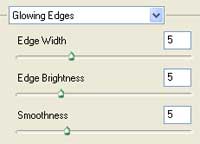 |
7. Add a Glowing Edges filter (Filter> Stylize> Glowing Edges) with these settings:
Edge Width: 5
|
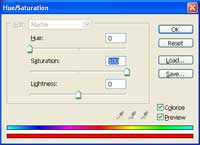 |
8. Colorize the image using the Hue/Saturation tool (Ctrl+U). These are the settings I used:
Colorize: Checked
|
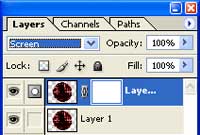 |
9. Duplicate the layer (Ctrl+J), add a layer mask (Layer> Add Layer Mask> Reveal All), then change the blending mode to Screen. |
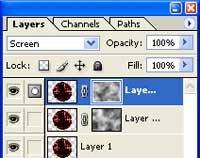 |
10. Duplicate the layer (Ctrl+J) and add a clouds filter to both of the layer mask. |
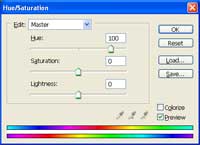 |
11. Select the top layer and use the Hue/Saturation tool (Ctrl+U) to se the Hue to 100. Select the middle layer and use the Hue/Saturation tool again but set the Hue to 50. |
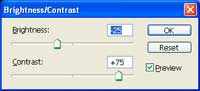 |
12. Apply these settings using the Brightness/Contrast (Image> Adjustments> Brightness/Contrast) tool on both of the layer mask:
Brightness: -25
|
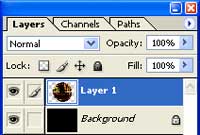 |
13. Select the top layer and merge down (Ctrl+E). |
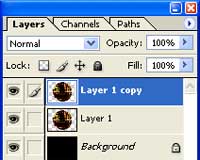 |
14. Duplicate the layer (Ctrl+J). |
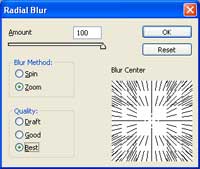 |
15. Select the middle layer and add a Radial Blur (Filter> Blur> Radial Blur) with these settings:
Amount: 100
|
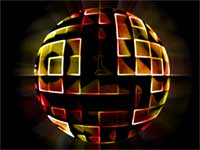 |
16. Here is the result that I got. |
