


An abstract shape formed by a jellyfish-like material.
 |
1. Create a new 640x480 pixels document and fill the background with black. |
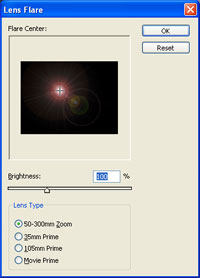 |
2. Add a Lens Flare (Filter> Render> Lens Flare) with these settings:
Brightness: 100%
|
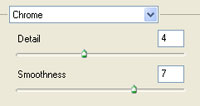 |
3. Apply a Chrome filter (Filter> Sketch> Chrome) using these settings:
Detail: 4
|
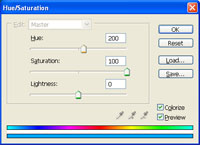 |
4. Change the color using the Hue/Saturation tool (Ctrl+U). These are the settings I used:
Colorize: Checked
|
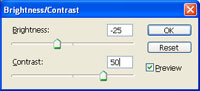 |
5. Duplicate the layer (Ctrl+J) then increase the contrast of the new layer using the Brightness/Contras" tool (Image> Adjustments> Brightness/Contrast) using these settings:
Brightness: -25
|
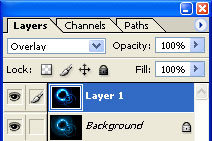 |
6. Change the blending mode of the top layer to Overlay. |
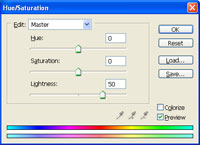 |
7. Select the background layer and increase its brightness to 50 using the Hue/Saturation tool (Ctrl+U). |
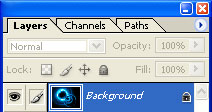 |
8. Flatten the image (Layer Flatten Image). |
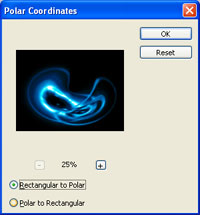 |
9. Distort the image using a Polar Coordinates filter (Filter> Distort> Polar Coordinates) with the Rectangular to Polar method. |
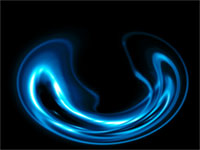 |
10. Repeat the previous filter (Ctrl+F). |
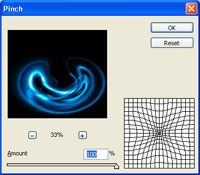 |
11. Pinch the image 100% with the Pinch filter (Filter> Distort> Pinch). |
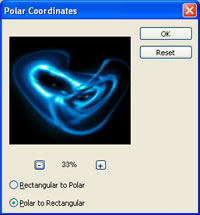 |
12. Distort the image again using the Polar Coordinates filter (Filter> Distort> Polar Coordinates) but use the Polar to Rectangular method instead. |
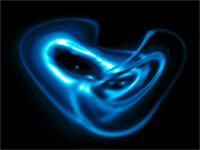 |
13. Here is the result that I got. |
