

Rotating squares with psychedelic colours forming a twirl.
 |
1. Create a new 1000x1000 pixels document with a red background. |
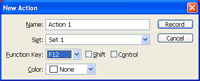 |
2. Create a new action in the "Actions" pallet (Window> Actions) and select a "Function" key for it. Click Record. |
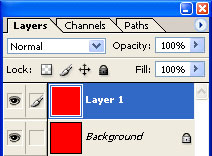 |
3. With the action being recorded, duplicate the current layer (Ctrl+J). |
 |
4. Use the "Transform" tool (Ctrl+T) to apply the following properties:
Width: 95%
Press Return. |
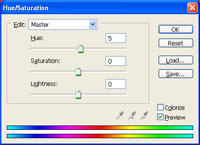 |
5. Use the "Hue/Saturation" tool (Ctrl+U) to set the "Hue" to "5". Click OK. |
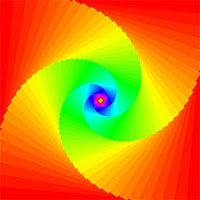 |
6. Stop recording the action. Press the function key you've defined in step 2 100 times, waiting for the action to be completed before you press the function key again. |
