1. Create a new document,I chose red and 400x400 canvas.
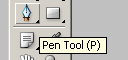
2. Now create a new layer and select the pen tool:
3. Make a point, then another to the right, and click-hold and make a curved line like so:
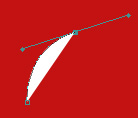
4. and then click on the original point (shown by a circle in step 3):
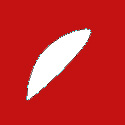
and then drag until it looks like this:

5. Now duplicate this layer and press ctrl+t to rotate to looks like:

6. Now perfect the semi-circles some, and then add some simple text: