1) Make a new document, anysize doesn't matter. Press CNTRL+D to reset your pallete colors. Set your background to BLACK.
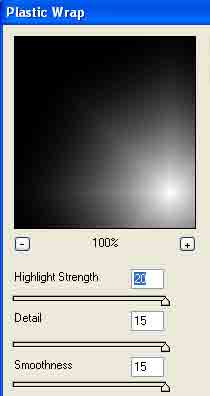
2) Apply Filter>Artistic>Plastic Wrap with these settings:
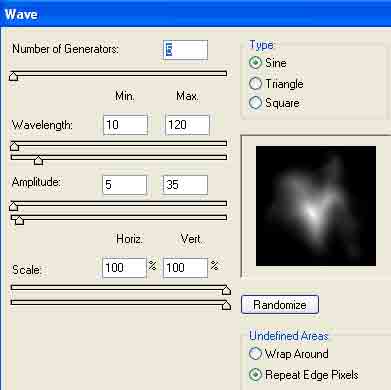
3) Apply Filter>Distort>Wave with these settings:
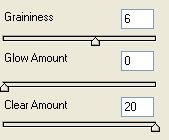
4) Apply Filter>Distort>Diffuse Glow with these following settings:
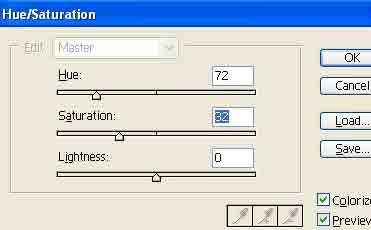
5) Press CNTRL+U and apply these Hue settings:
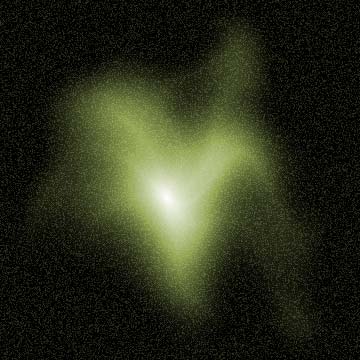
6) Now we got something like this:
7) I added a twirl to my final effect. Filter>Distort>Twirl:
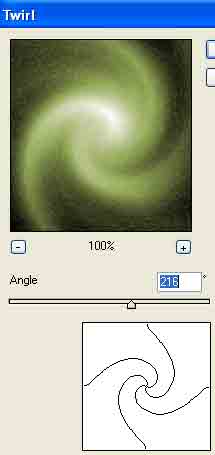
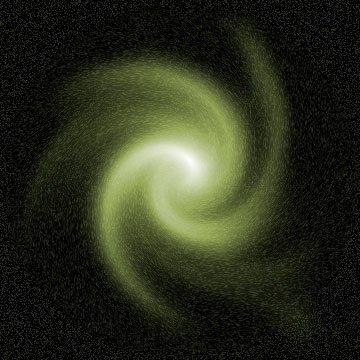
Final Effect: