This week we are going to look at creating a text effect using the new scatter brush option. This effect is simple to create and its not limited to text, you could create some great background effects with this technique.
Start with some text on a new layer.

Render the type so we can modify it freely.
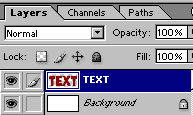
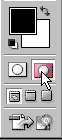
Select quickmask mode.
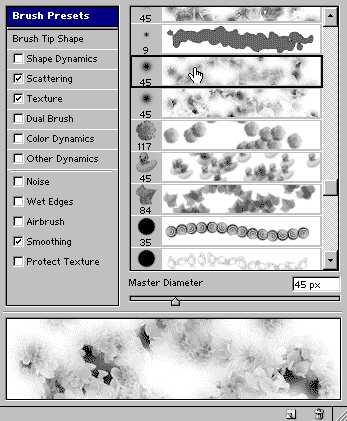
Under brushes, choose one of the presets that use the scattering option.
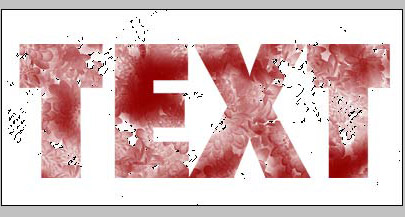
Pain through the text using the brush.

Press the "Q" key to switch off the quickmask. You will now see a selection.

You will need to inverse the selection. Ctrl/Cmd+Shfit+I

Press the delete/backspace key to cut into the text.

If you want a stronger effect press the del key again. Here I pressed it 3 times.
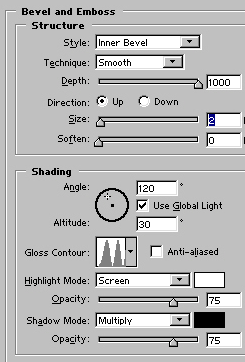
Add a standard drop shadow in the layer styles and choose a bevel similar to shown. Be sure to change the gloss contour.
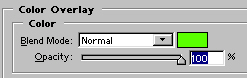
Change the color overlay to a bright green color.
And here is our effect!

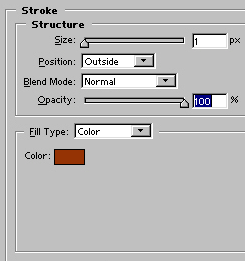
If you want to go a step further add a 1 pixel stroke using layer styles.
This creates a very interesting effect.
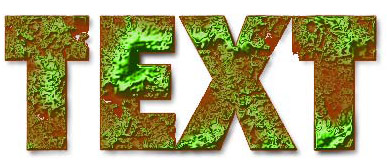
Experiment with this effect and see what you can come up with. Terrain maps for 3D come to mind.
About the Author:

Colin Smith is a best-selling author, trainer, and award-winning new-media designer
who has caused a stir in the design community with his stunning
photorealistic illustrations composed entirely in Photoshop. He is
founder of the world's most popular Photoshop resource site, PhotoshopCAFE.com, which boasts more than two million visitors.
With over 10 years of experience in the design industry, Colin was formerly Senior Editor and Art Director for VOICE magazine. He is a regular columnist for Photoshop User magazine, PlanetPhotoshop.com, and the official site of the National Association for Photoshop Professionals. He also contributes to a number of other graphic art publications and Web sites, such as Mac Design magazine, Web Designer magazine and Computer Arts Magazine.
Colin's graphic design work has been recognized with numerous awards,
including the Guru awards at Photoshop World 2001 and 2002, for his
work in both Illustration and Web Design. He's authored or co-authored
more than ten books on Photoshop, including the best-selling How to Do Everything with Photoshop CS (McGraw-Hill/Osborne, 2003) and award-winning Photoshop Most Wanted: Effects and Design Tips (A Press/Friends Of Ed, 2002). Colin is also creator of the Photoshop Secrets Video training series (PhotoshopCD.com).
He is in high demand across the United States as a lecturer, presenting
his Photoshop techniques to Web designers and other graphics
professionals across the nation.


