Her
Home
Photoshop Tutorials
Text Effects
How to Create Shrek Text
How to Create Shrek Text
Author: MickM.com
Author's URL:
www.mickm.com
More by this author
Added:
Apr 26, 2005
Rating: Less than 3 votes yet
Level:
Experienced
Software: Photoshop
Follow these guidelines to create the signature.
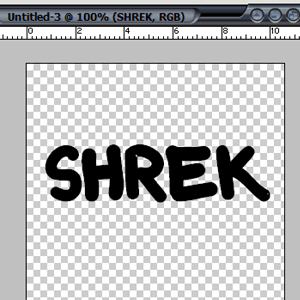
Open up a new image, no matter what size, and add some text;
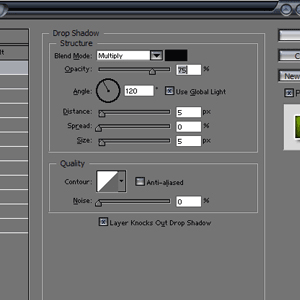
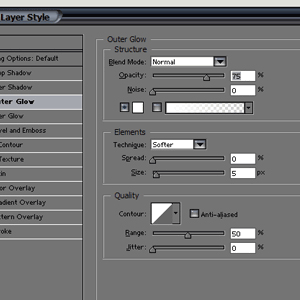
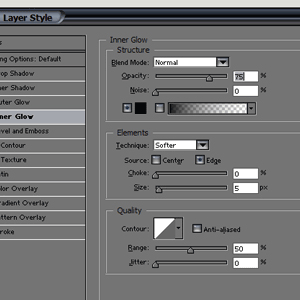
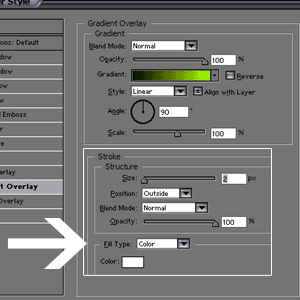
Add these settings to the layer;
Then create a layer under the text layer and merge them together;
Create a layer above the first layer and fill it with white;
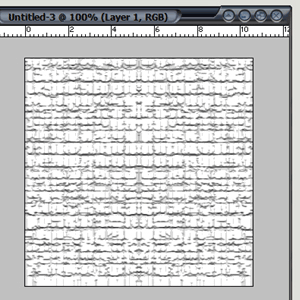
Filter+Texture+Craquelure and set it to: 15,6,9;
Copy the layer and flip it horizontal and set the blending-mode to multiply;
Set your texture-layer to multiply and press Ctrl+G;
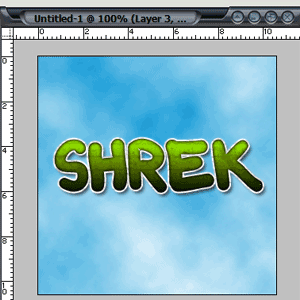
Change the opacity and add a little background and you're done...