Her
Home
Photoshop Tutorials
Special Effects
Cell-Shading
Cell-Shading
Author: MickM.com
Author's URL:
www.mickm.com
More by this author
Added:
Apr 29, 2005
Rating:
Level:
Professional
Software: Photoshop
Cell-shade your pictures
Open up a picture you want to cell-shade;
First select all the parts that have the similar color (I used Black first);
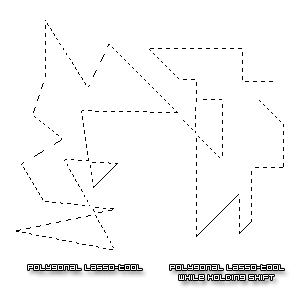
You must use the "Polygonal Lasso-Tool for this all;
When you select one color, make a new layer and just fill it with that color; (You can use the eyedropper for the color)
When you're done, you should have A LOT of layers with all different colors;
It is a lot of work, but it pays off...
REMEMBER: You don't need to use EVERY COLOR, just the basic, the shadow and the shining-part
Check out below how the Polygonal Lasso-Tool works;






 Level: Professional Software:
Photoshop
Level: Professional Software:
Photoshop 