1. Lets start by making a 400x400 image and then make the background black
2. Then go to Filter -> render -> Lens flareand place tham in a simular spot as these:
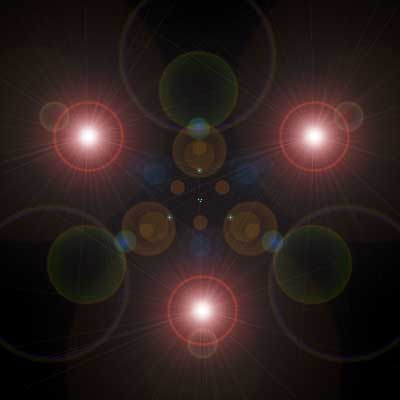
3. Now go to Filter -> sketch -> chrome, Settings: Detail:10 Smoothness: 0
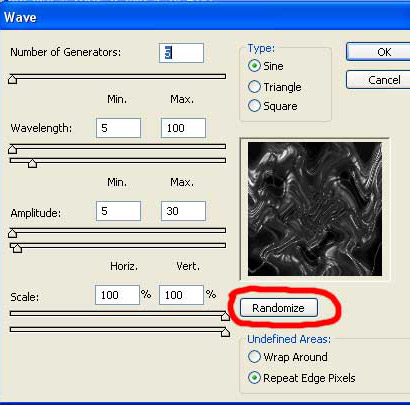
4. Copy the background layer and go to Filter -> Distort -> Wave, Use these settings you can see at the picure, then press randomize few times
5. Press Ctrl-V 4 times so u get 4 more copys, then do the same whit all copys like you did at point 4
6. Set blending mode of the layers to lightning
7. Now you have to rotate the layers (edit -> transform), one 90°cw, one 90°ccw and one 180°, the last 1 should be rotated freely to 45°
8. Press control-U to add colour and check colorize, do this on all the layers
Now you are done!