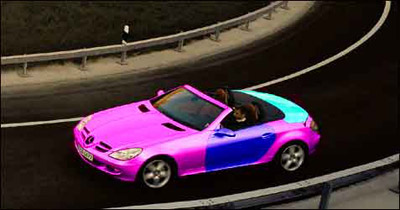
1. Open an image of a car.
2. If the car is in another color than grey/silver, press CTRL+U, set Saturation to 0
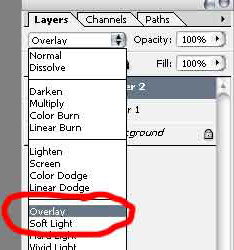
3. Make a new layer, set the 'Blend Mode' to 'Overlay'. (look at the image below)
4. Click on the 'Brush Tool' and choose the color you want of the car.
5. Now just start paint the car.
Here is my final result