1. Create a new document (Ctrl+N), type your text, I used the font Blades and give it a white color, make it big enough, I used 155, leave the background white or first make it black like I did and then change it to white at the end

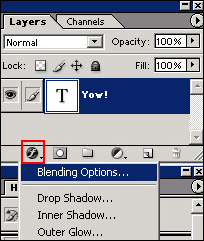
2. The only thing you'll be using is the Blending Options, so go ahead and open that window
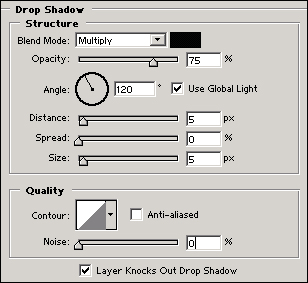
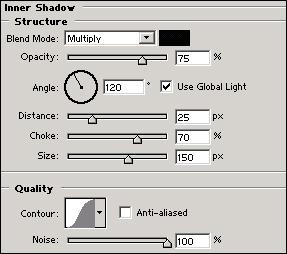
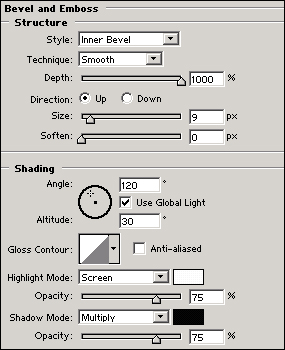
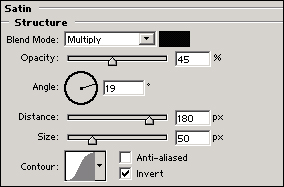
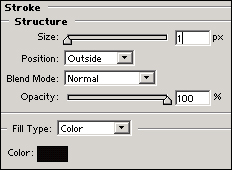
3. Just follow these simple settings to see what you can accomplish with this style, then play a bit and create something original
4. Here's the final result: