1) Make a new document, anysize doesn't matter. I used 300x100. Start out with White as the background color.
2) First start off by grabbing the text tool. I used Compact Bold text for this tutorial. Feel free to choose your own ;).
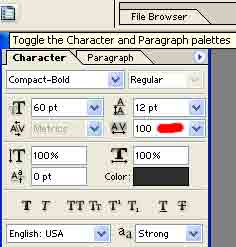
3) If your text scrunched together and you want to space each letter out go to:

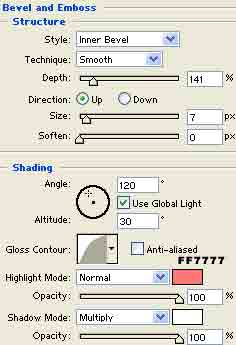
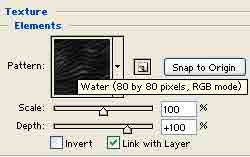
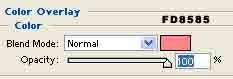
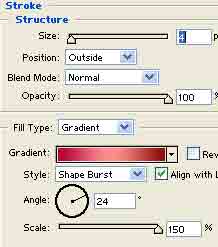
4) Now were all set to add blending options. Right click the text layer and go to blending options and apply all these settings, there are a lot so make sure you follow the steps correctly :D:
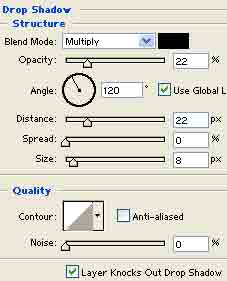
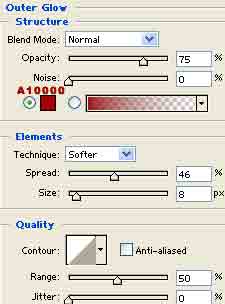
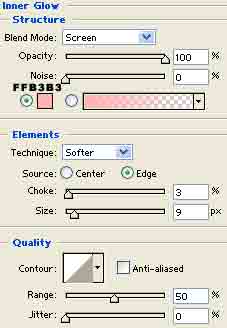

Badda boom badda bing: