

Here is your own guide to draw your own Larry character. If you feel like being creative; take the feel of Larry, and design a character to represent yourself! Here we go...
1. Start with a 100x100 new image with any background. I chose #66FFFF as it is easy to see both black and white pixels on.
2. Zoom into around 600-700% and let the creations begin.
3. Remember, it may look messy at first when you are zoomed in close. So don't give up now, it will improve towards the end. Start with the suit. With the pencil tool (1px), set white to your foreground colour and draw the basic shape. Now change the foreground colour to black, and draw in his shirt.
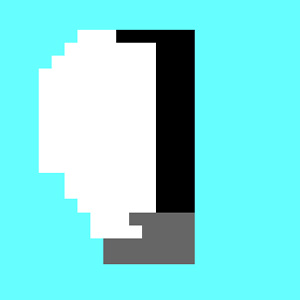
4. Larry always wears a fashionable belt. I used #666666 as the colour for it. Draw this in too. Use my pic as a guide. But there is no need to copy it exactly.
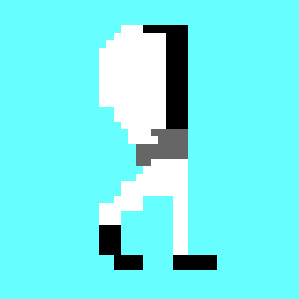
5. Larry also has legs. These are fairly simple to draw. Make one straight down, and the other going back diagonally. The shoes are the easiest part. Select black and draw some rectangular shoes. Here is where I am upto. Once again, it doesn't have to be perfect. Just keep it in the ballpark.
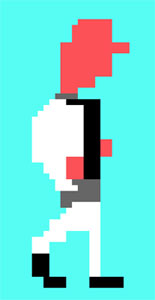
6. Now time to give Larry some flesh. I used #FF6666 as my base colour for his skin. You will blur it later on anyway. Give him his hands and his face. I found the face the hardest part, but give it your best shot. I did it without his hair at first, but you draw it how you find it easiest. And don't forget his colar (#666666).
7. Time to draw in his facial details. This can be tough! Start with a basic outline of his hair. Use black for this (#000000). And his eyes. To draw the eyes, they are basically just a 3x1 black rectangle. Check my pic to understand.
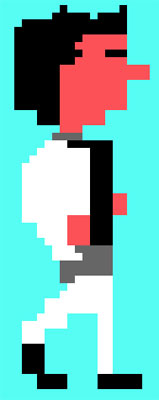
8. There you have it! You hopefully have a basic outline of Leisure Suit Larry! You can stop here if you are happy with your work, or continue or for some minor details.
9. Using #CCCCCC and the 1px Pencil tool, add some shadow to Larry's suit to give it some detail.
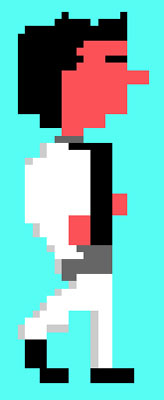
10. The second hardest part of this tutorial now. Adding detail to the face. The easiest way to do this is to use the smudge tool (press R) and to smudge the contrasting colours together. I wasn't too happy with his hair from my basic outline, so I smudged in the gaps. Here is my final zoomed in on 740%.
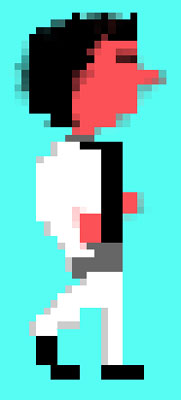
...and the part you have all been waiting for...

