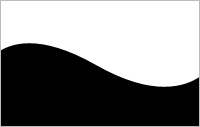
Open a new document. Hit D to reset the colours.
Fill the background with black and hit X on your keyboard to switch between foreground and background colour. Pick Zoom Tool and zoom out. Pick Pen Tool and make a point out in the grey area in left side. Hold Shift down and do the same in right side. Then place the mouse on the middle of the line and pull downwards.
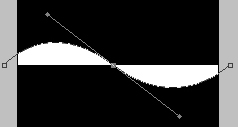
When you have done that, finish the points up in the right corner and then the left corner and then the point where you started. Rightclick on the layer and hit Rasterize Layer.
You are finish.