Hi there. Today we’ll be making our own simple, and stylish logo, which can be used in a web design, or anything you wish!.
First things first; Open your image, use 300 x 300.
Phase One
S1: Press X followed by D on your keyboard, to reset your colours. With
that done, and your polygon lasso tool selected, make the below shape:
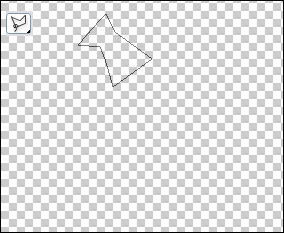
S2: OK, proceed by Filter>Render>Clouds. And Duplicating your
layer (Layer>Duplicate Layer), once finished with that:
Edit>Transform>Rotate 90 CCW, Then with the move tool move the
shape into place:
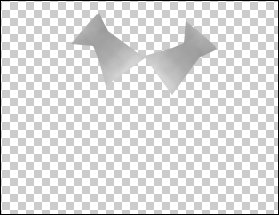
S3: Repeat the last step until you have the following:
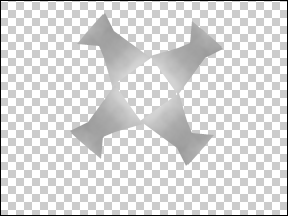
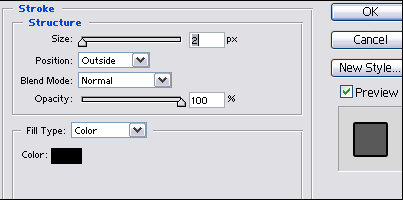
S4: Now we need to press and hold "Ctrl+E" three times. And add this Stroke:
Phase Two:
S1: Filter>Sketch>Chrome (default settings, though it doesn’t
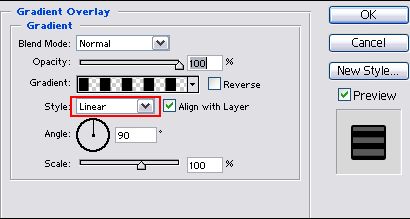
really matter), and then this Gradient Overlay, change the box select
for different results:
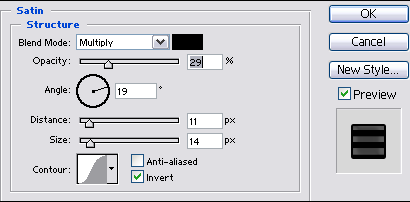
S1: This Satin:
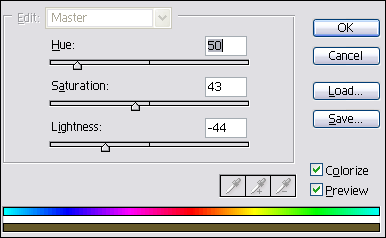
S2: Press and hold "Ctrl+u", with these settings :
S3: Image>Image size select the size you want the logo to be. I made mine 250 pixels
S4: Add your text, and you should have something like mine. For my text (Use the steps for the logo, but on the text layer)