Start a new document 600x600 then set your foreground color to Black and background color to grey.

Then go to Filter->Render->Clouds.

Set your foreground color to BLACK.
Use the Type Tool to create a black text. Make it BIG.
Then go to Layer->Merge Visible.

Now go to Filter->Stylize->Glow Edges.
Edge Width: 14
Edge Brightness: 20
Smoothness: 15

Now go to image->rotate canvas->90 CW.
Filter->Stylize-Wind
Method: Wind
Direction: From the Right.
Filter->Stylize-Wind
Method: Wind
Direction: From the Left.
Filter->Stylize-Wind
Method: Wind
Direction: From the Right.
Now go to image->rotate canvas->90 CCW. to rotate it back to normal.
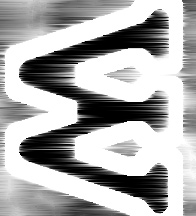
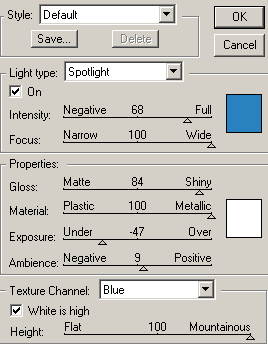
Now go to Filter->Render->Lighting Effects.
(The blue color is #2981C0)

Here is mine: