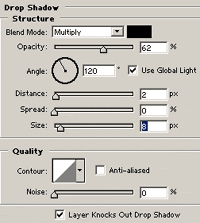
Start a new document and fill the background with white.
Press "D" to reset your colors to black and
white

Use the type tool to create your text. Make it fairly large.

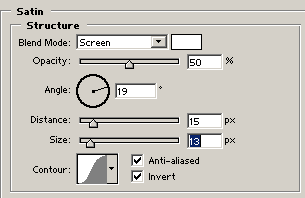
Then go to Layers -> Layer Style -> Satin

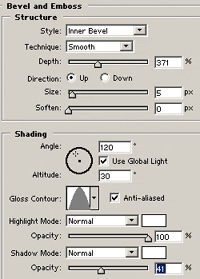
Then go to Layers -> Layer Style -> Bevel & Emboss (just check the bevel & emboss box since you already got the layer style box open)

Then go to Layers -> Layer Style -> Drop Shadow. (just check the drop shadow box since you already got the layer style box open)