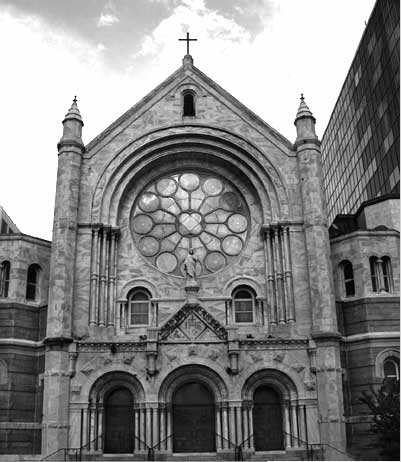
There are a variety of ways to convert a photograph into a pencil sketch. And here's yet another, using the Difference blending mode, an Invert adjustment layer, and the Median filter. We'll demonstrate using PhotoSpin's image #0880017.
STEP 1
Open a copy of the image in Photoshop. If it has multiple layers,
use the menu command Layer> Flatten Image. Convert to Grayscale.
The simplest method is the menu command Image> Mode> Grayscale.
For greater control of the image's grayscale appearance,
you can use the Channel Mixer adjustment first, checking the
Monochrome box and balancing the sliders. (For more on this
technique, see "Photoshop User" magazine, October/November
2002, page 62.)
STEP 2
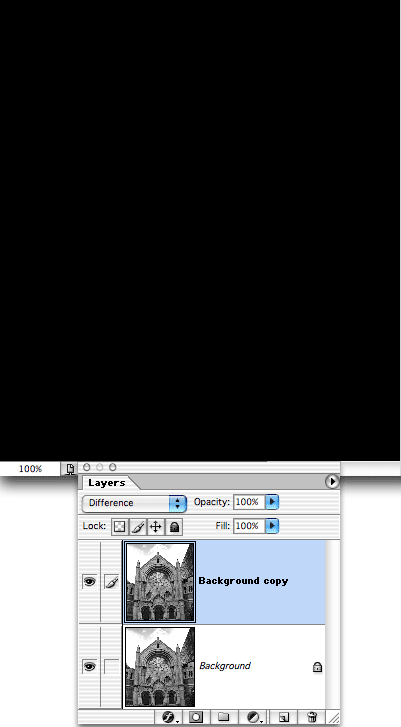
In the Layers Palette, drag the layer "Background" to
the New Layer button to duplicate it. Change the upper layer's
blending mode from Normal to Difference. The image will turn
completely black because the pixels on the two layers are identical.
STEP 3
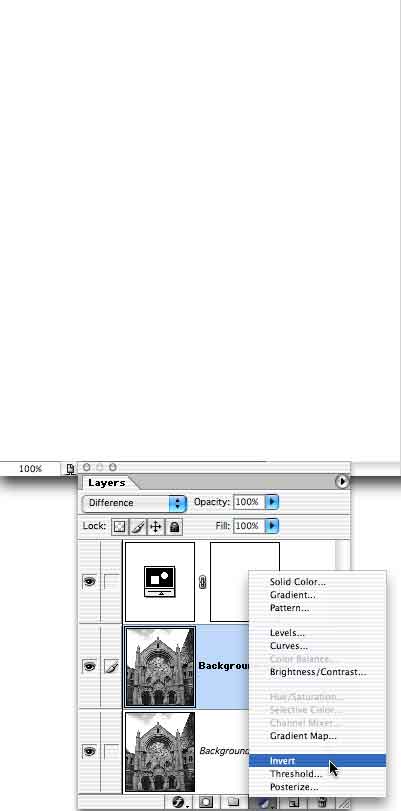
Add an Invert adjustment layer by clicking on the fourth button
at the bottom of the Layers Palette and selecting Invert. (The
button's icon is a half-black/half-white circle.) After
adding the adjustment layer, click again on the layer "Background
copy" (just below the adjustment layer).
STEP 4
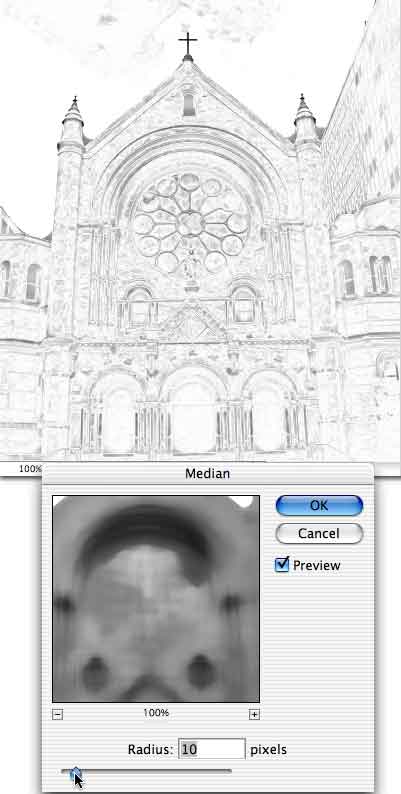
Apply the filter Noise> Median. As you drag the slider, the "pencil
sketch" will appear. After applying Median, you can again
flatten the file and save.
 Pete
Bauer is the Help Desk Director for NAPP, as well
as a Contributing Writer for Photoshop User and Mac Design
magazines. His books include "Special Edition Using
Adobe Photoshop 7" (with Jeff Foster), "Special
Edition Using Adobe Illustrator 10," "Sams Teach
Yourself Adobe Illustrator 10 in 24 Hours" (with Mordy
Golding), and "Special Edition Using Adobe Illustrator
9." Pete writes documentation for a variety of computer
graphics related products, as well as testing software
for a number of companies. As a computer graphics efficiency
consultant, Pete specializes in customized training programs.
He is based in Columbus, Ohio, and can be contacted via
Pete
Bauer is the Help Desk Director for NAPP, as well
as a Contributing Writer for Photoshop User and Mac Design
magazines. His books include "Special Edition Using
Adobe Photoshop 7" (with Jeff Foster), "Special
Edition Using Adobe Illustrator 10," "Sams Teach
Yourself Adobe Illustrator 10 in 24 Hours" (with Mordy
Golding), and "Special Edition Using Adobe Illustrator
9." Pete writes documentation for a variety of computer
graphics related products, as well as testing software
for a number of companies. As a computer graphics efficiency
consultant, Pete specializes in customized training programs.
He is based in Columbus, Ohio, and can be contacted via
