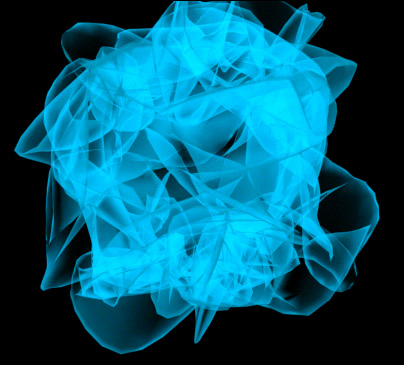
Learn how to make some neat abstract art. Great for buttons. Step-by-step instructions proceed...
1. Create a sphere, doesn't matter how big or what color.
2. After this, go to the Modifiers Tab

3. Now, select the Noise option under Parametric Modifiers..
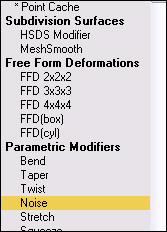
4. Apply these settings...
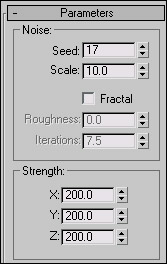
5. Pull up the Materials Editor by hitting the button

or pressing 'M'. Anywho, click on any gray sphere and apply these settings. Note: You can change the colors, it really doesn't matter.
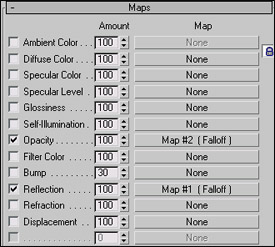
6. Go down to Maps and utilize these settings:
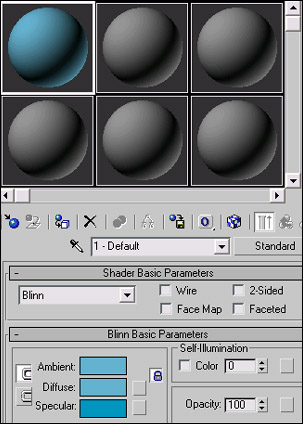
7. Apply the settings you just made to the sphere (messed-up sphere now) and hitting this button
8. Exit the Materials Editor and go to the Modifiers Tab again. This time, head down to MeshSmooth under Subdivision Surfaces. Make the Iterations: 2 and you are done with that. Now, hit F10 to Render and see what you come up with. This is my example: